Documentation Index

Fetch the complete documentation index at: https://docs.safe.security/llms.txt

Use this file to discover all available pages before exploring further.

Skip to main content

Release Notes - Aug 2026

Release Notes

  • Release Notes - Aug 2026

  • Release Notes - July 2026

  • Release Notes - June 2026

  • Release Notes - May 2026

  • Release Notes - Apr 2026

  • Release Notes - Mar 2026

  • Release Notes - Feb 2026

  • Release Notes - Jan 2026

  • Release Notes - Dec 2025

  • Release Notes - Nov 2025

  • Release Notes - Oct 2025

  • Release Notes - Sep 2025

  • Release Notes - Aug 2025

  • Release Notes - July 2025

  • Release Notes - June 2025

  • Release Notes - May 2025

  • Release Notes - April 2025

  • Release Notes - March 2025

  • Release Notes - February 2025

  • Release Notes - January 2025

Release v4.1.139

Aug 24th, 2026

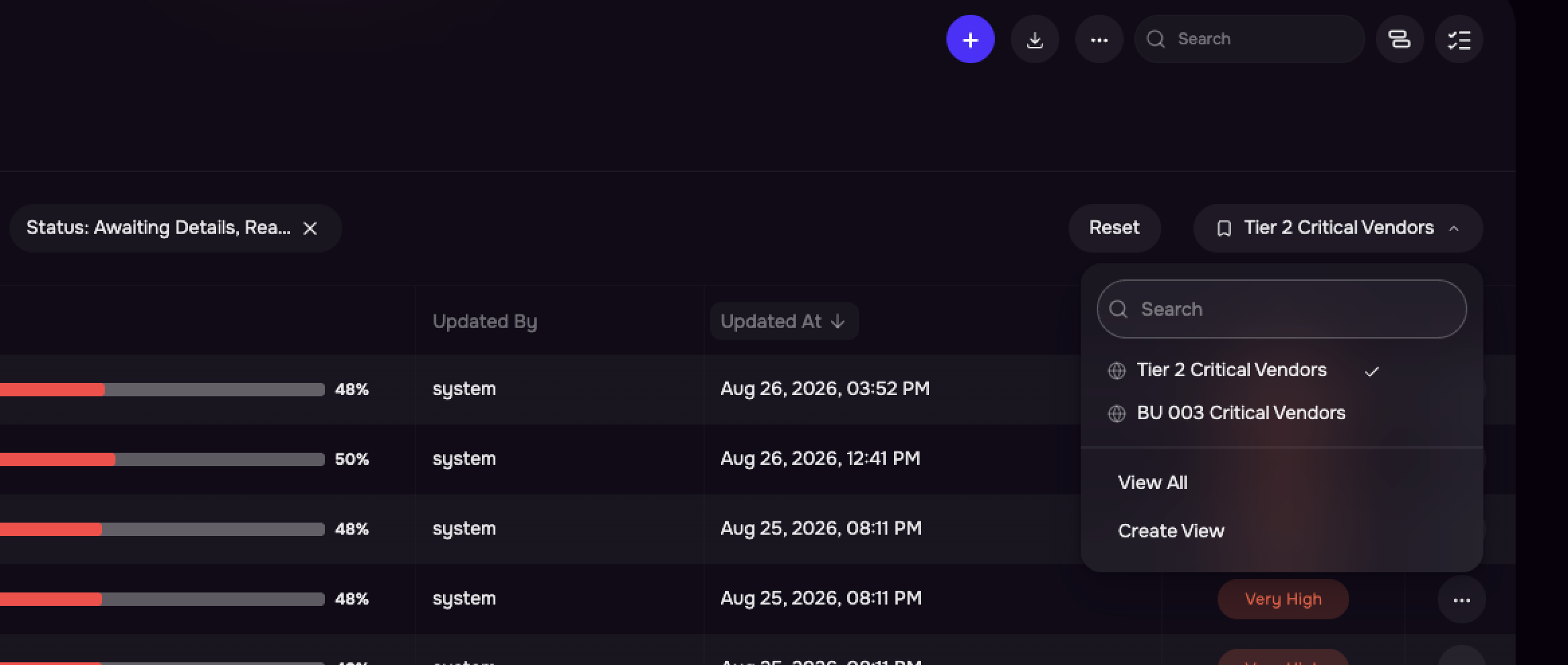
1. Saved Filters

Saved Filters (Views) in SAFE allow users to save and reuse commonly used filter configurations, reducing repetitive effort and ensuring consistency across recurring analysis.


Key Highlights

  • Save Complete Views: Save Basic or SAQL filters along with selected table columns and sort order.

  • One-Click Access: Quickly reapply a Saved Filter to restore the table view.

  • Private or Global Views: Keep Saved Filters private or share them globally across the tenant.

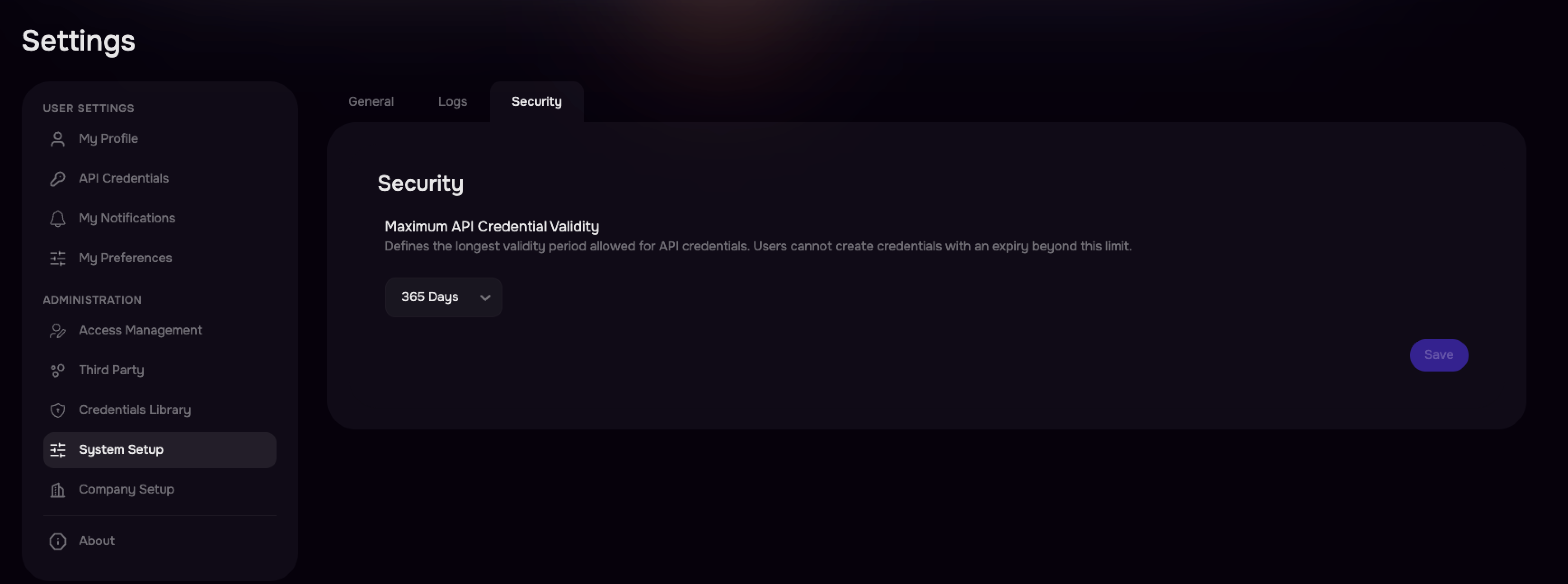
2. Configurable Global API Credential Expiry

SAFE admins can configure and enforce organization-specific expiration for user API credentials, helping align credential management with enterprise security and access policies.

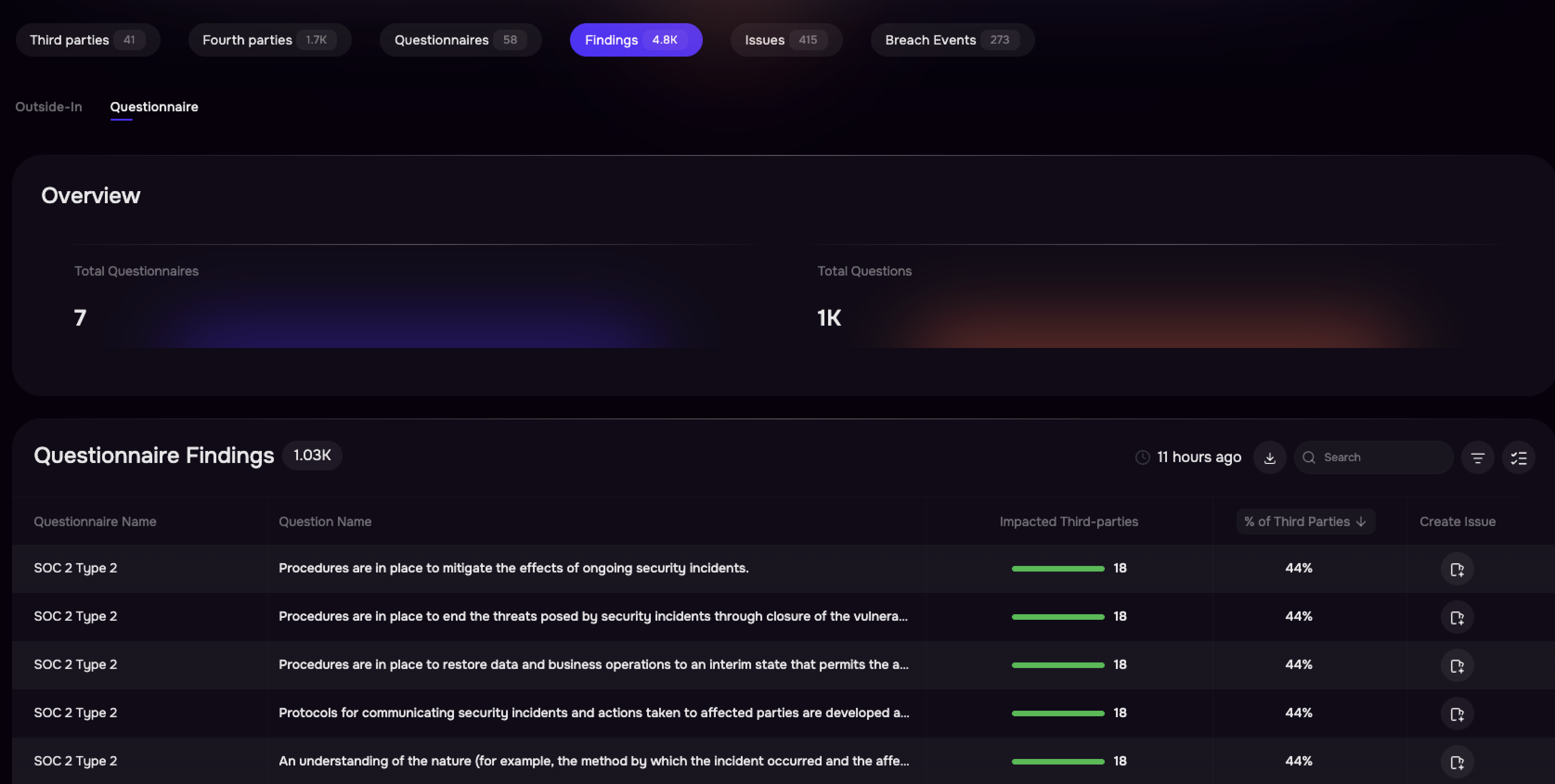
3. Questionnaire Analytics & Compliance Dashboards

Now you can turn third-party questionnaire responses into actionable, portfolio-level insights through the Findings Center and configurable Questionnaire Response Dashboard widgets. Analyze response patterns, identify passed and failed third parties, drill down into specific questions and answers, and quickly prioritize organizations that require remediation.


Key Highlights

  • View questionnaire findings in a dedicated tab, including questionnaire name, question, impacted third parties, and passed/failed counts.

  • Drill down into a specific questionnaire question to view the impacted third parties.

  • Build dashboards based on questionnaire responses to identify compliance coverage and gaps across frameworks such as NIST CSF 2.0, DORA, and NIS2.

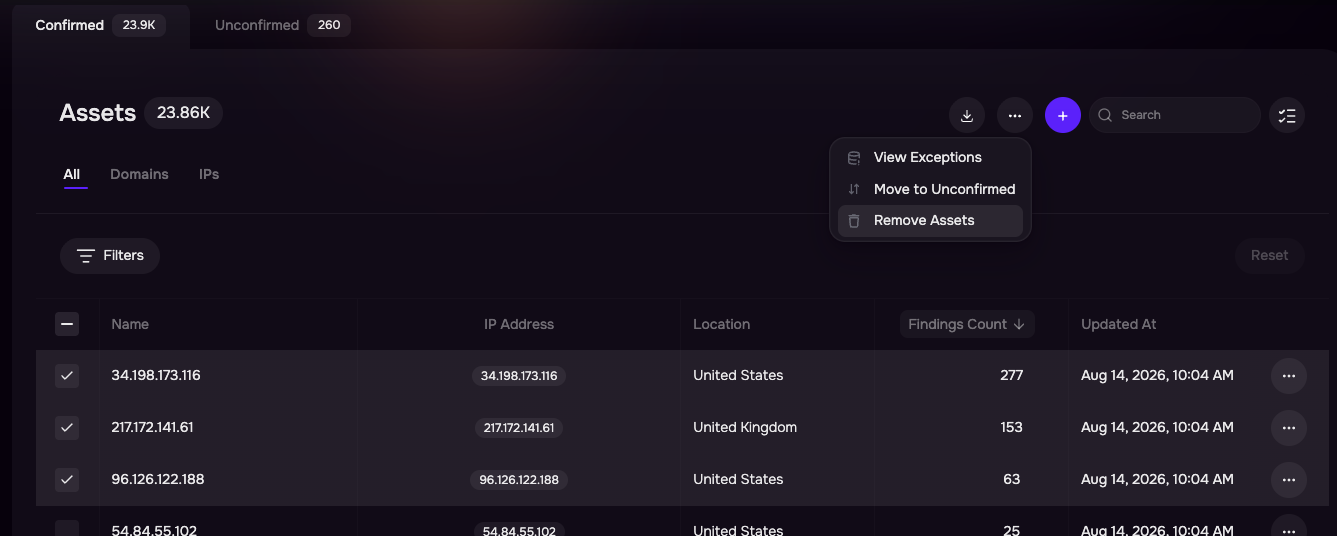
4. Local Exception Management for Assets

Local Exception Management enables organizations to customize a third party’s digital footprint based on their own context. Add, remove assets to ensure Outside-In findings and scores accurately reflect your organization’s assessment.


Key Highlights

  • Remove Incorrect Assets: Exclude incorrectly attributed assets and their findings from your assessment and score.

  • Add domains, IP addresses, or CIDR ranges not discovered by Outside-In.

  • Track and manage exception requests through Processing, Active, and Revoked statuses.

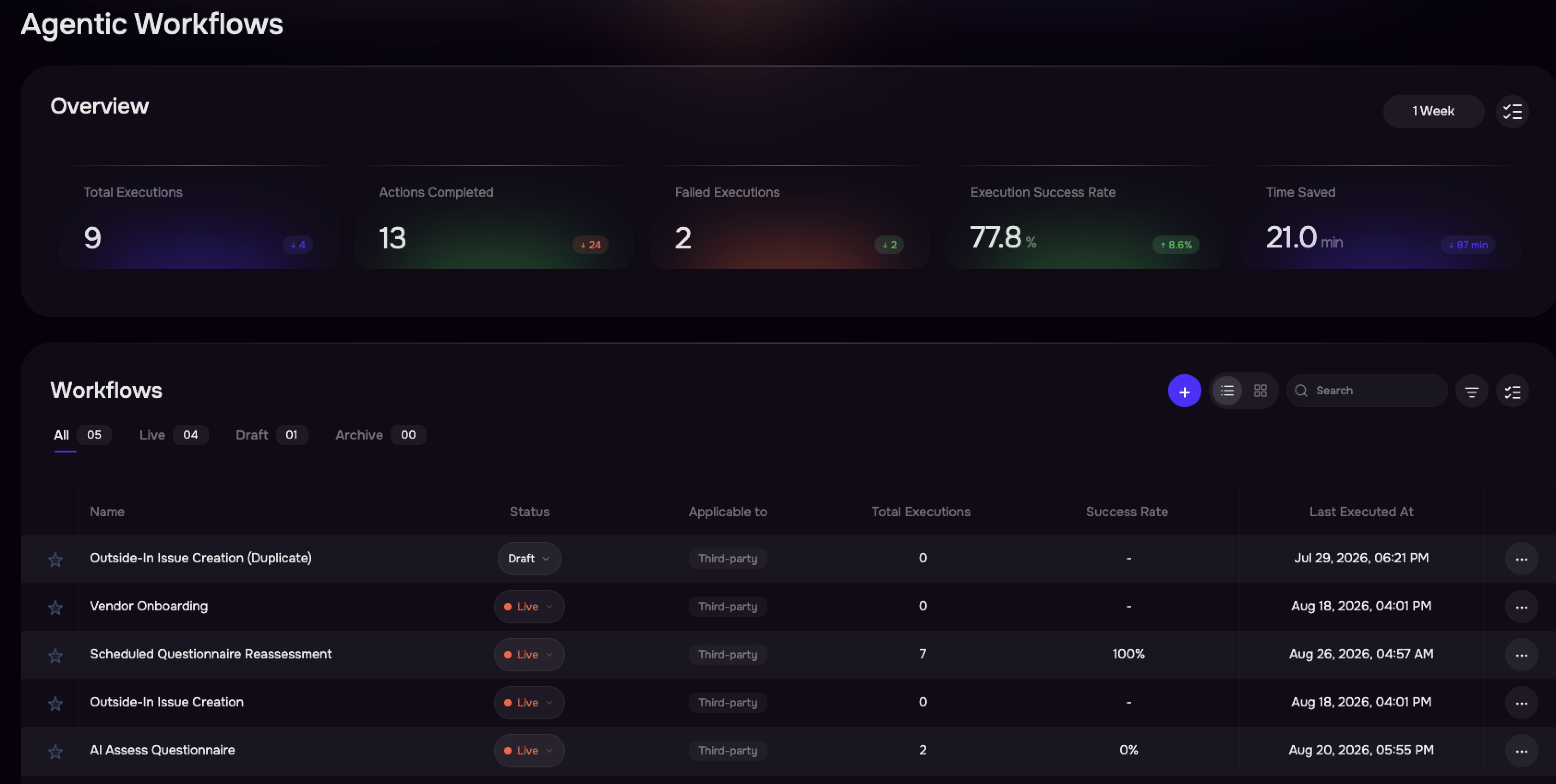
5. Workflow Insights & Enhanced Workflow Management

Get better visibility into workflow performance, execution health, and automation value from a centralized Workflows list view. New execution insights and a detailed Table View make it easier to monitor workflow activity, identify failures, measure success, and manage workflows at scale.

Release v4.1.137

Aug 6th, 2026

1. [TPRM] HTTP Request Node for External API Integrations in Workflows

Connect SAFE Workflows with external applications by making secure HTTP(S) API calls directly from your workflows. Use built-in credential management, test requests before deployment, and automate integrations with tools like Jira, Slack, and other approved services.

Key Highlights

  • Native HTTP Request Node: Call external APIs using GET, POST, PUT, PATCH, DELETE, and other HTTP methods directly from workflows.

  • Secure Credential Management: Store and manage API Keys, Bearer Tokens, Basic Auth, and other credentials securely with domain allowlists.

  • Test Before You Deploy: Validate API requests with the Test Request feature using the same execution path as production workflows.

Refer to User Guide for more details.

2. [TPRM] Findings Center for Centralized Investigation & Remediation

Gain a centralized view of outside-in findings across all third parties with the new findings tab on the inventory page. Investigate impacted vendors, filter and prioritize findings, and create remediation issues in bulk from a single page to accelerate third-party risk response.

Key Highlights

  • Centralized Visibility: View and manage findings across all third parties from a dedicated Findings tab.

  • Advanced Filtering & Search: Quickly narrow down findings using third-party and finding-specific filters, with support for search, sorting, and pagination.

  • Detailed Finding Investigation: Open a side panel to view finding details, impacted assets, affected third parties, and recommended remediation guidance.

  • Bulk Issue Creation: Create remediation issues for multiple impacted third parties in a single action, with one issue generated per selected vendor.


Note: This feature is being rolled out in phases and will be available in your environment soon.