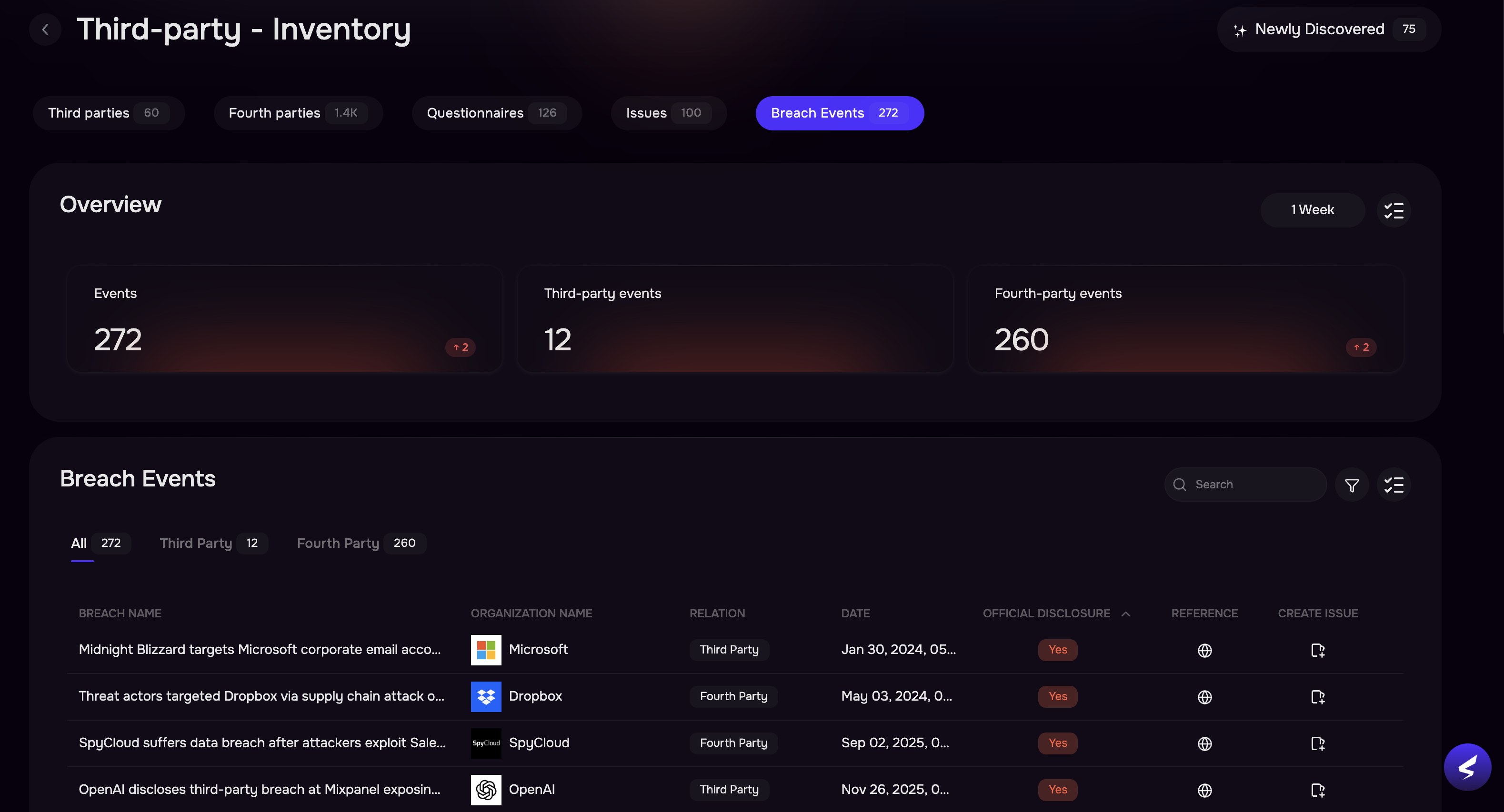
Release Notes | Release v4.1.130Apr 30th, 2026 1. [TPRM] Breach Events Tab We’ve introduced a Breach Events tab to provide a centralized view of security breaches across your ecosystem. View breach events across both Third-party and Fourth-party vendors. Each event includes: Associated organization name Relationship type (Third-party or Fourth-party) Official disclosure status (Yes/No) Reference link for more details
You can now create issues directly from the Breach Events page, enabling faster response and streamlined risk management.
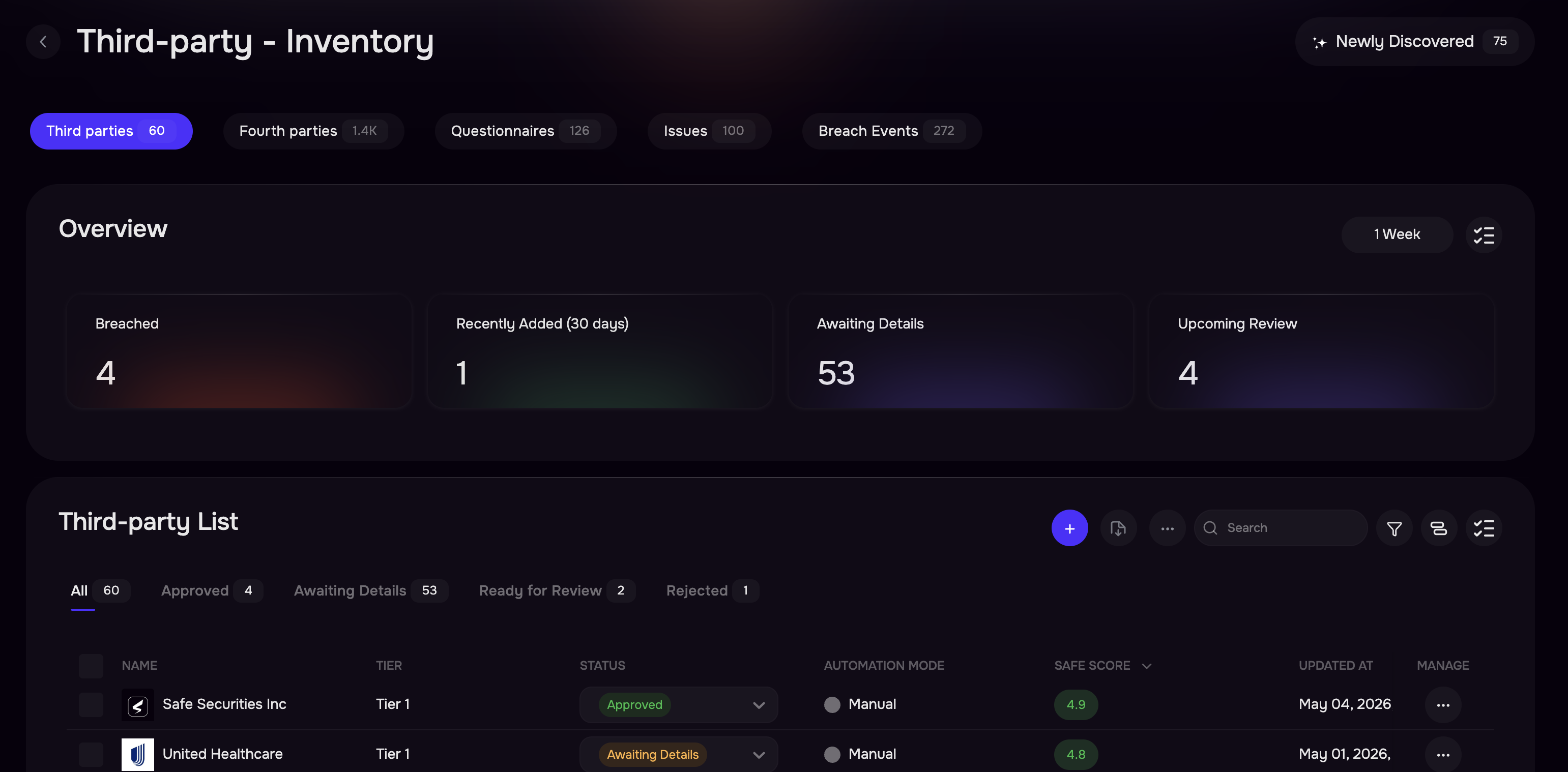
2. [TPRM] Insights CardsQuick Insights Cards are now available across multiple pages, including Third-Party Inventory, Fourth-Party List, Questionnaires, Issues, and Breach Events, providing instant visibility into key metrics. Third-Party: Get a quick snapshot of key third-party risk metrics, including breaches, onboarding status, and review timelines. Fourth-Party: Monitor fourth-party exposure with insights into total vendors, breaches, evaluation status, and concentration risk. Questionnaires: Track questionnaire progress across all stages from awaiting response to completion and reopening. Issues: Stay on top of issue management with visibility into open, unassigned, overdue, and review-ready items. Breach Events: View summarized breach activity across third- and fourth-party ecosystems. Clickable Cards: Insight cards are interactive, allowing you to drill down into detailed views instantly. Card Configuration: Customize each page by selecting which insight cards you want to display. Timeframe Filter: Adjust timeframes to analyze trends over different periods (e.g., 1 week to 1 year).
3. [TPRM] Dashboard Widgets for Organization, Issues & Questionnaire InsightsAdded 9 dashboard widgets to enhance visibility into Questionnaires, Issues, and Organization, including filter-based counts, detailed lists, and distribution views.
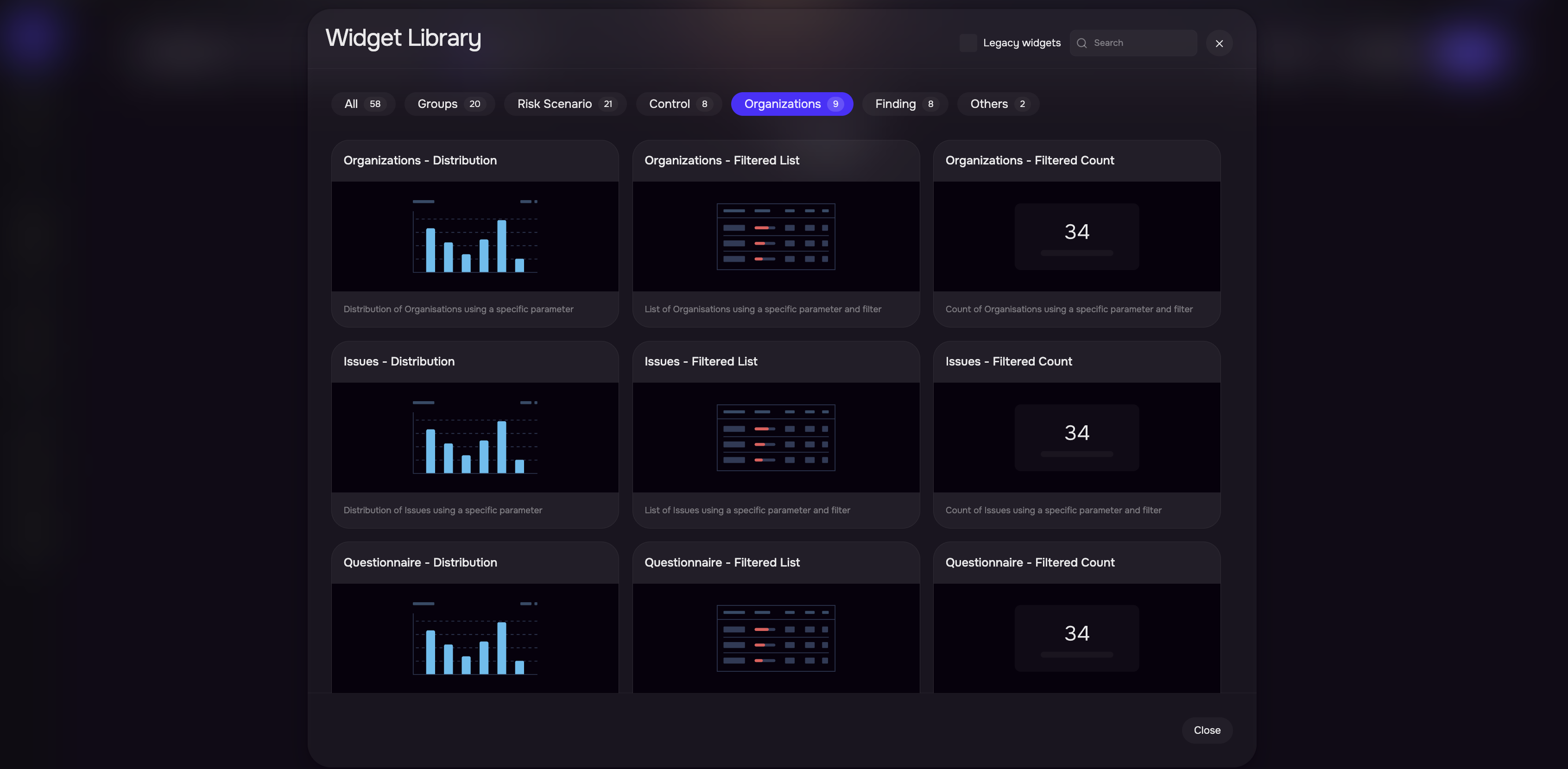 Enhanced the Filtered List/Count dashboard widget that allows users to apply multiple filters (e.g., Tier, Status) and create more tailored, dynamic widgets for better insights and flexibility. .png)
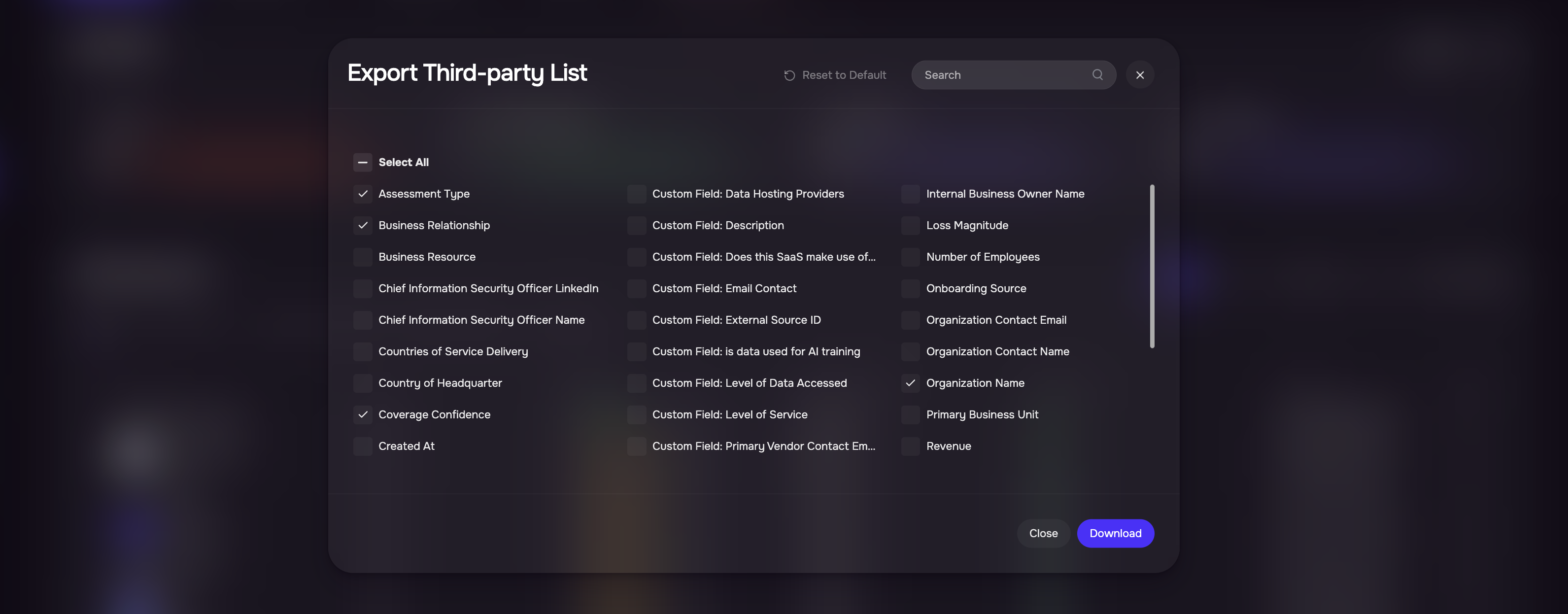
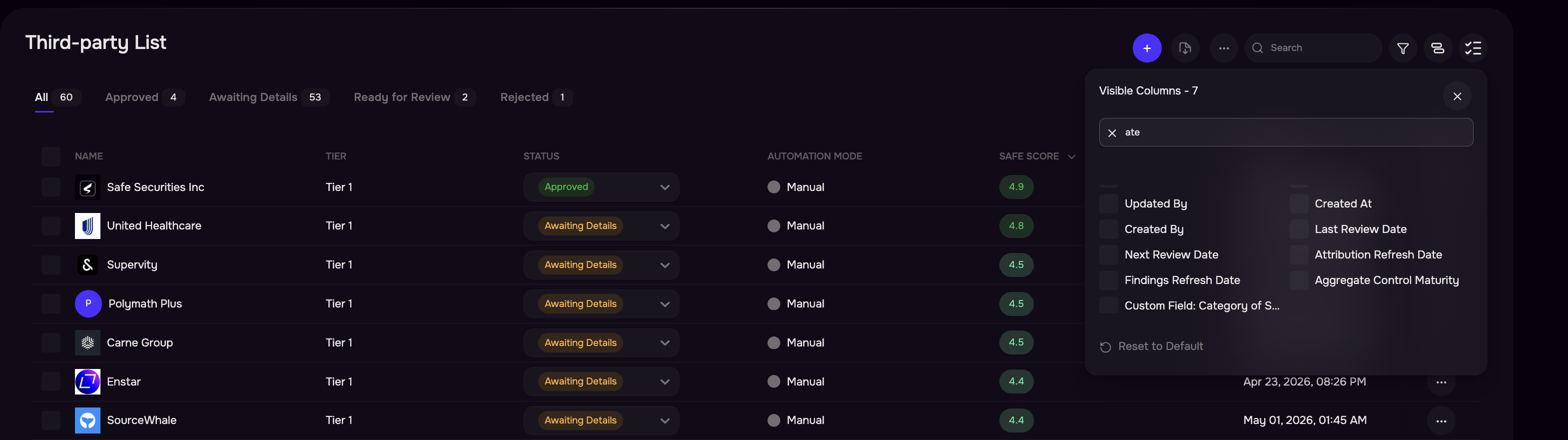
5. [TPRM] CSV Export of Third-party ListEnhanced CSV export for Third-Party List to respect applied filters and allow users to select specific columns for download.
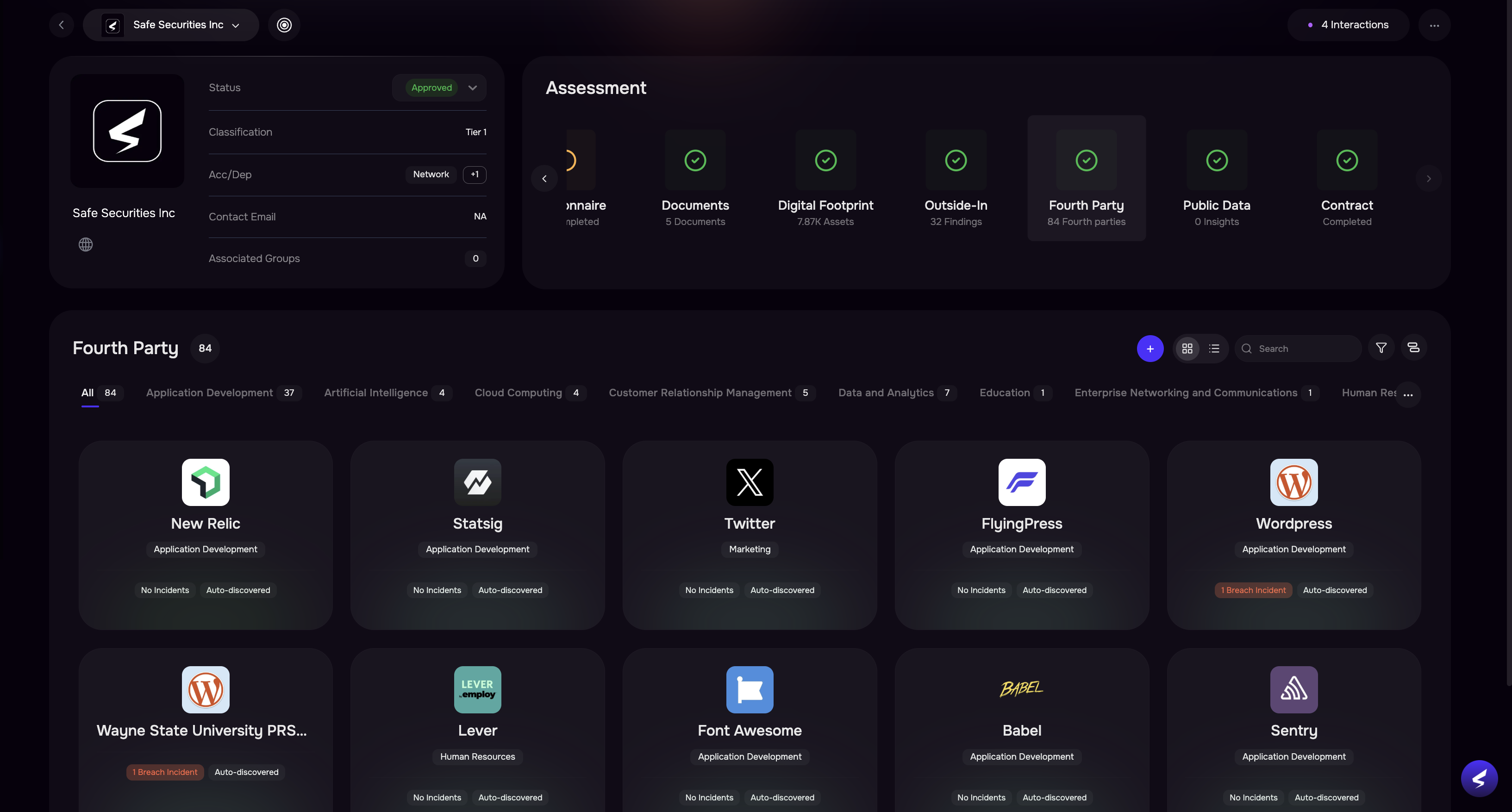
 6. [TPRM] Enhanced Fourth-party viewWe have added Table and Card views to enhance Fourth-party visualization, with the Card view highlighting categories alongside their associated breach instances.
 7. [TPRM] Bulk Upload to support auto-population of Custom FieldsEnabled support for both custom and standard fields in the bulk upload template for greater flexibility and easier data management. 8. [TPRM] Enhanced Third-party ManagementWe have added Table and Card views to enhance Fourth-party visualization, with the Card view highlighting categories alongside their associated breach instances. Enhanced the Third-Party Inventory table by adding key missing columns such as Contract Status, Contract Expiry, Review Dates, Findings Refresh Date, and Attribution Refresh Date to improve visibility and data traceability. Added color-coded status indicators across the inventory list and status dropdown for better clarity.
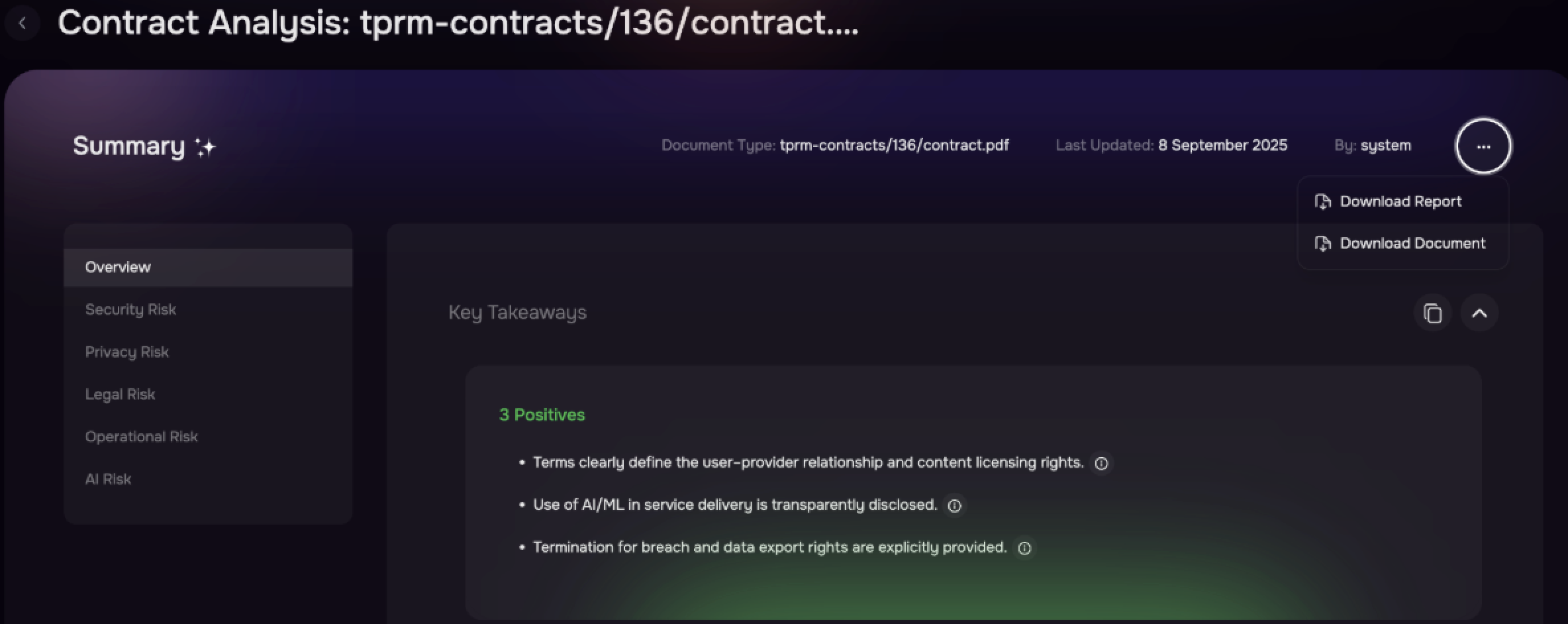
9. [TPRM] Download Contract and SOC 2 SummariesAdded the ability to download the summary reports for Contracts, SOC 2, and other documents, including summarized insights, gaps, and original files.
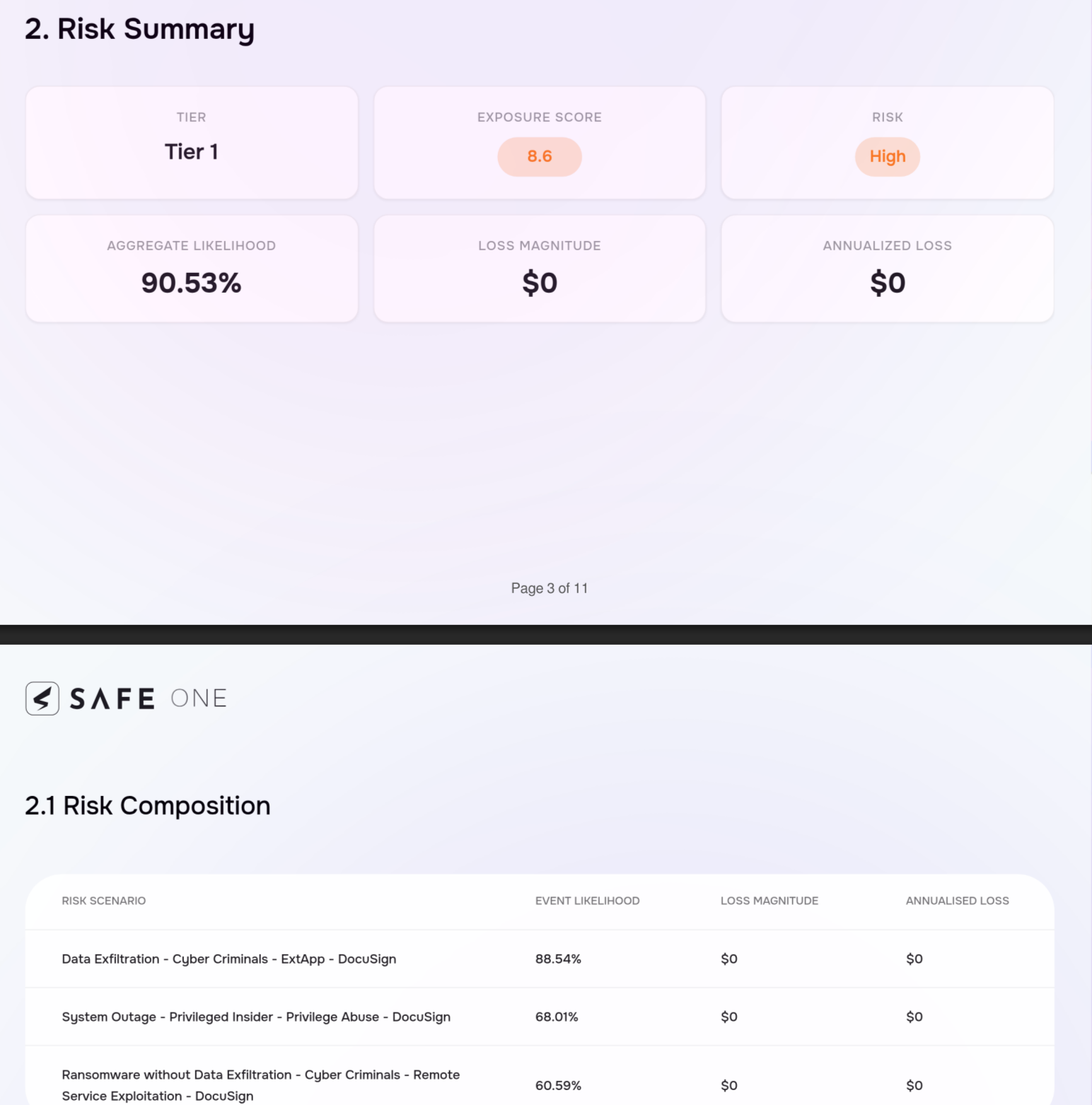
 10. [TPRM] Enhancements in Third-party Risk ReportThird-party Risk Assessment Report (PDF) includes Aggregate Likelihood, Loss, ALE, and Risk Scenarios.
Release v4.1.128
Apr 6th, 2026 1. [TPRM] Introducing customizable TPRM Automation SettingsThe automation settings now make Partially Automated mode fully customizable, with all options unchecked by default. Auto-assess and auto-request will apply only to newly added questionnaires and will not impact any existing assessments, giving teams better control and preventing unintended actions. 2. [TPRM] Introducing Configurable Notifications in SAFEThe new notifications framework in Safe helps users stay informed about important third-party lifecycle events and changes in risk. Notifications can now be centrally managed by administrators or customized by individual users for personalized monitoring.
Key Highlights Default Notifications managed by administrators for organization-wide alerts My Notifications for users to create personalized notification rules Support for real-time and scheduled notification delivery Notifications available via Web (in-app) and Email channels Added filters and triggers to control when notifications are sent

|