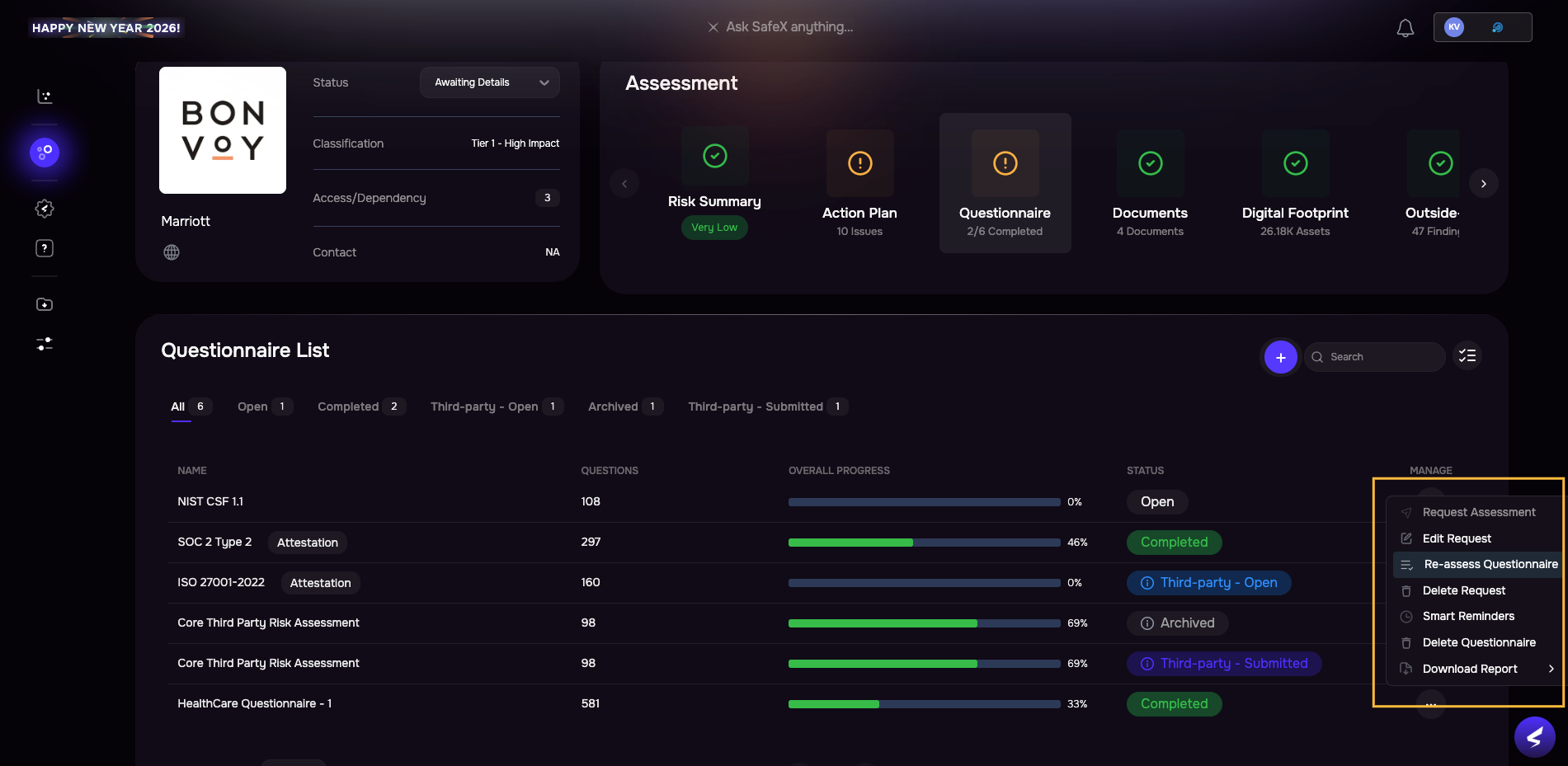
Release Notes | Release v4.1.12327 Jan, 2026 1. [TPRM] Questionnaire ReassessmentWe are introducing a structured, auditable workflow to reassess third-party questionnaires. Analysts can initiate new reassessment cycles (pre-filled or blank), archive prior assessments, and ensure only the latest questionnaire contributes to scoring, while vendors gain visibility into past submissions and can reuse responses.
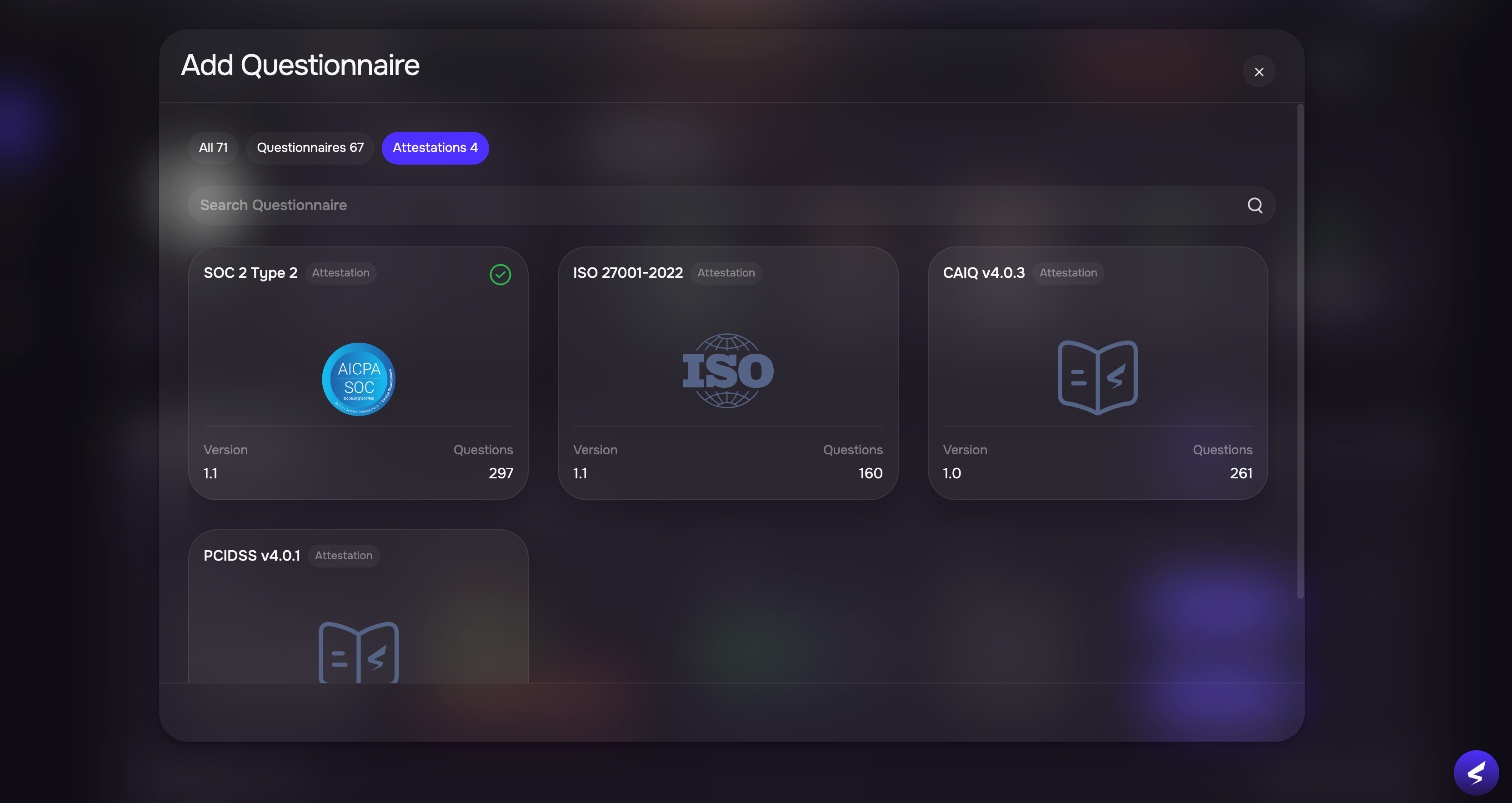
2. [TPRM] Request Attested Documents like SOC 2, ISO, etc.Request attested documents like SOC 2, ISO, etc. with direct vendor uploads. SAFE automatically converts submissions into questionnaire findings and updates risk insights for attestation requests.
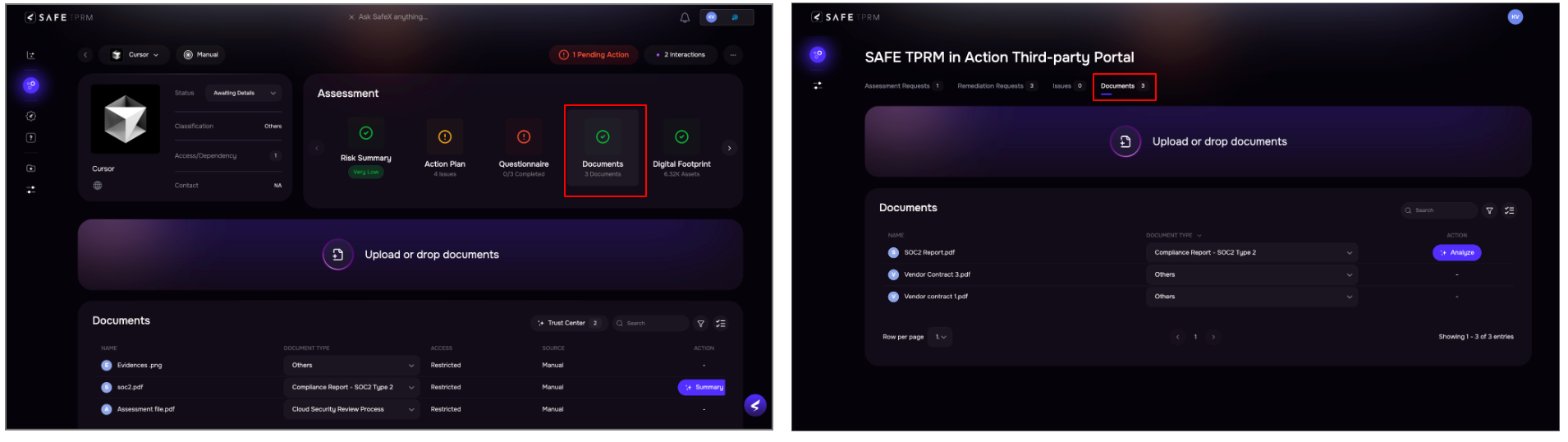
Release v4.1.121, v4.1.12212 Jan, 2026 1. [TPRM] Centralized Document StoreA centralized Document Store for Analyst and Vendor portals enables document reuse, controlled access, and faster questionnaire evidence management. This unified Documents experience improves visibility, enables controlled access, and streamlines evidence management and collaboration. Key Highlights
2. [TPRM] Smart Auto Reminders for QuestionnairesSAFE now automatically schedules smart reminders and escalations for questionnaires based on their due dates, reducing the need for manual follow-ups and missed assessments. You can enable the smart reminders from Settings > Third-party > Default Smart Reminders.
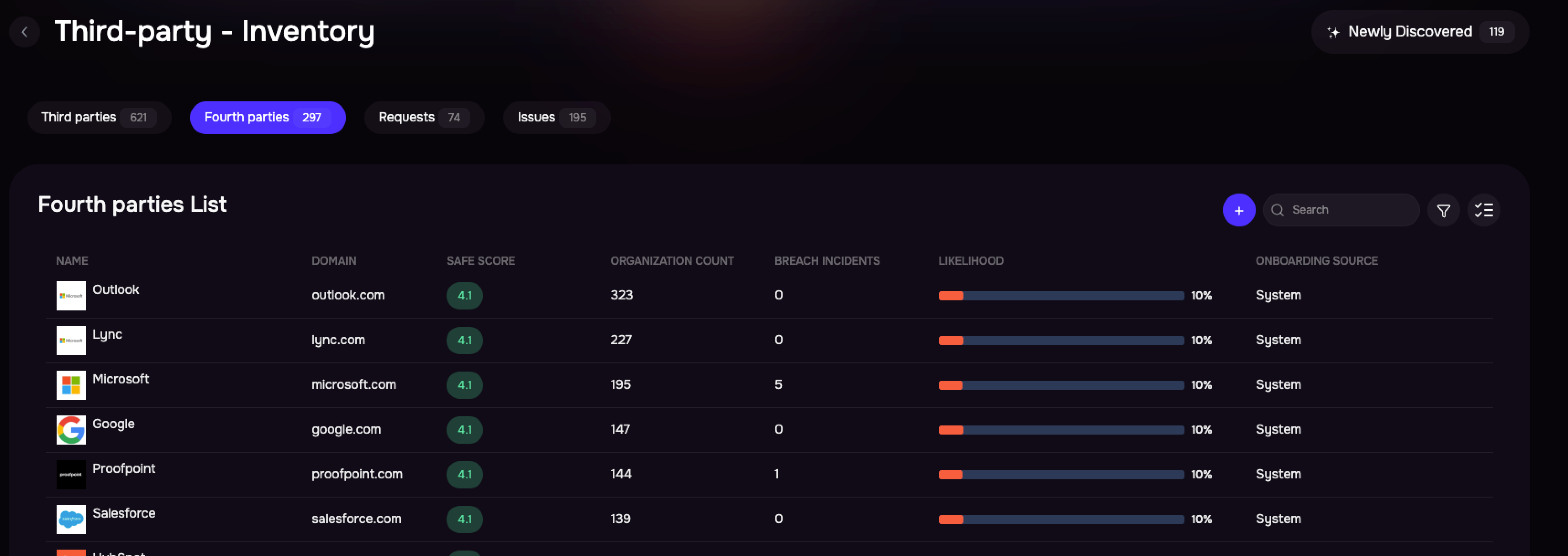
3. [TPRM] Enhanced Fourth-Party CoverageSAFE can now identify and monitor 8,000+ fourth parties across third-parties, with visibility into how many third parties connect to each fourth party—providing early insight into downstream concentration risk.
4. Custom Field EnhancementsSAFE now supports new custom field types, including Multi Select and Long Text, along with UI updates that rename Predefined to Single Select and Any to Text. Custom Fields can now be displayed in data tables and used for filtering, improving visibility and usability.
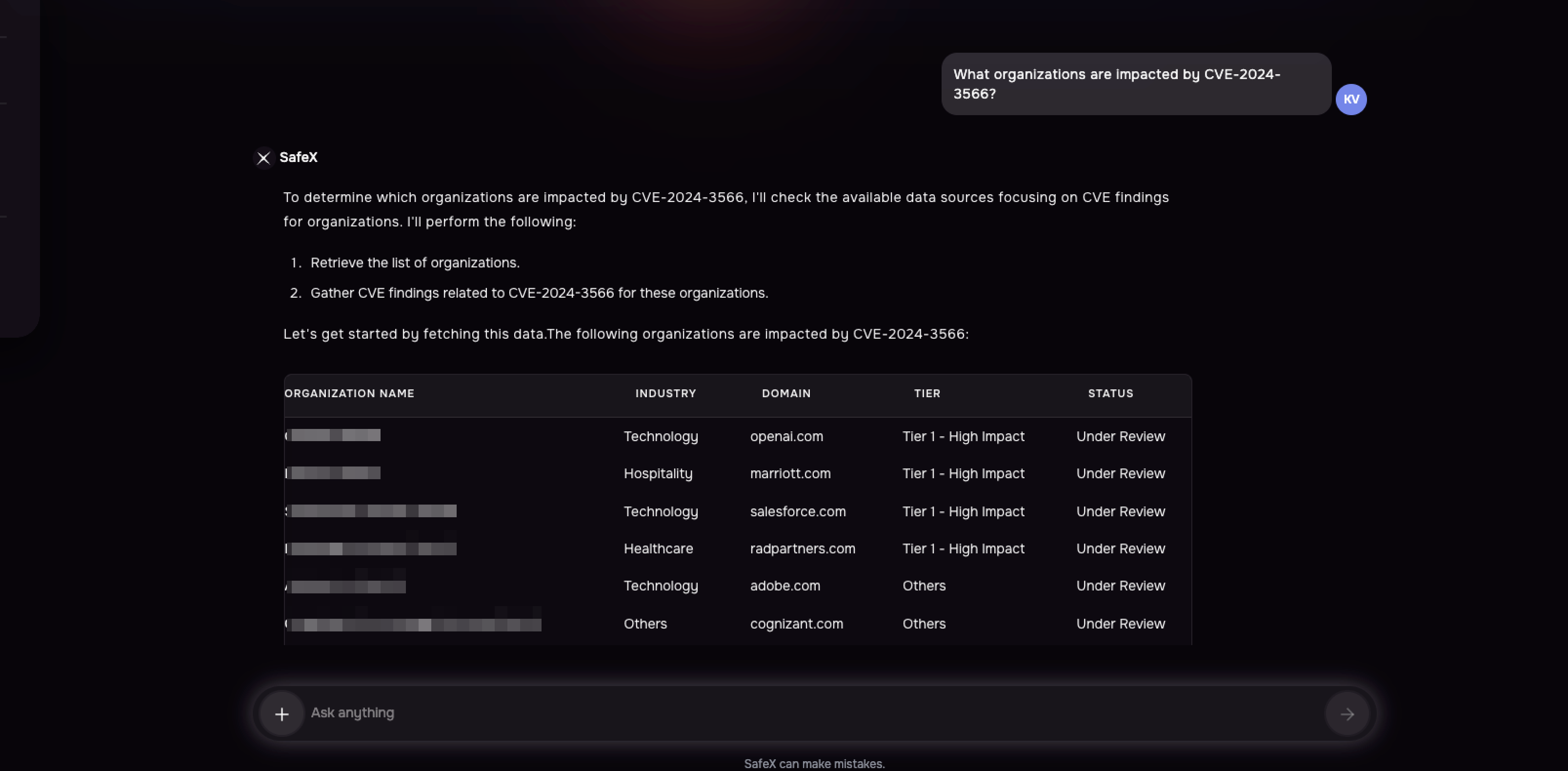
5. SafeX-driven CVE Impact Visibility and Issue ManagementUsers can now identify third parties impacted by specific CVEs by simply asking SafeX, which lists the affected third parties. Users can also ask SafeX to create issues for the impacted third parties.
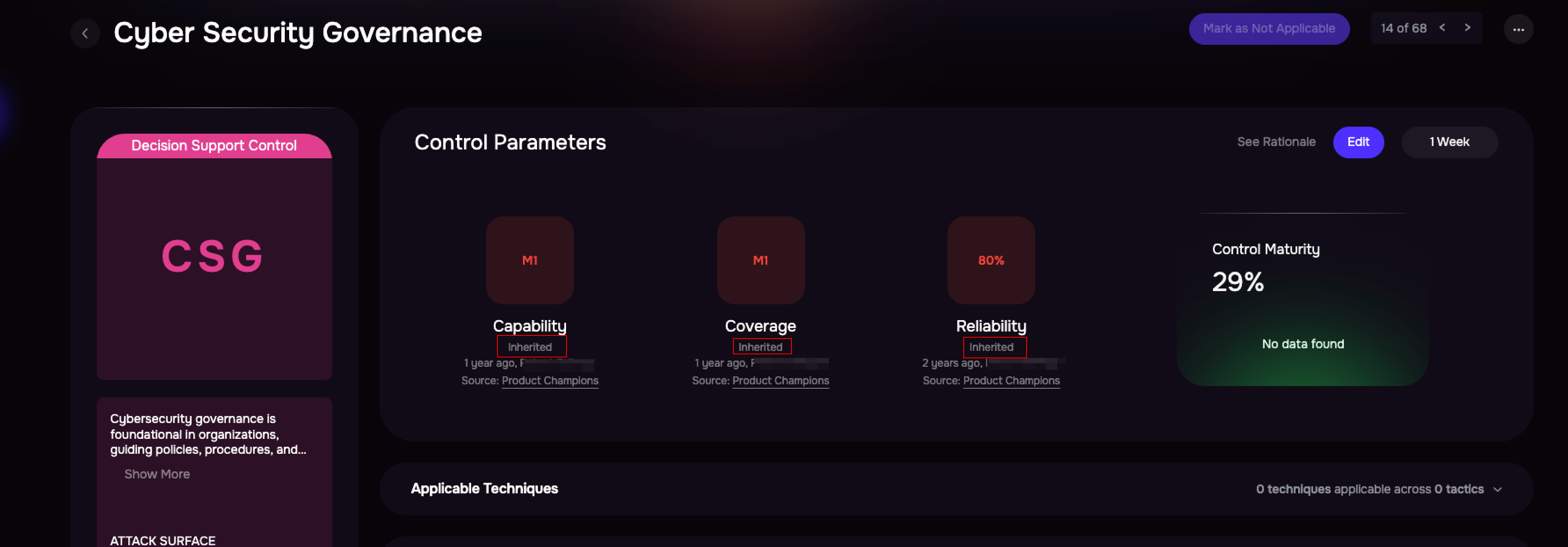
6. Control Maturity InheritanceSAFE now allows users to automatically inherit control maturity across groups, ensuring consistent governance while eliminating repetitive manual configuration. Key Highlights
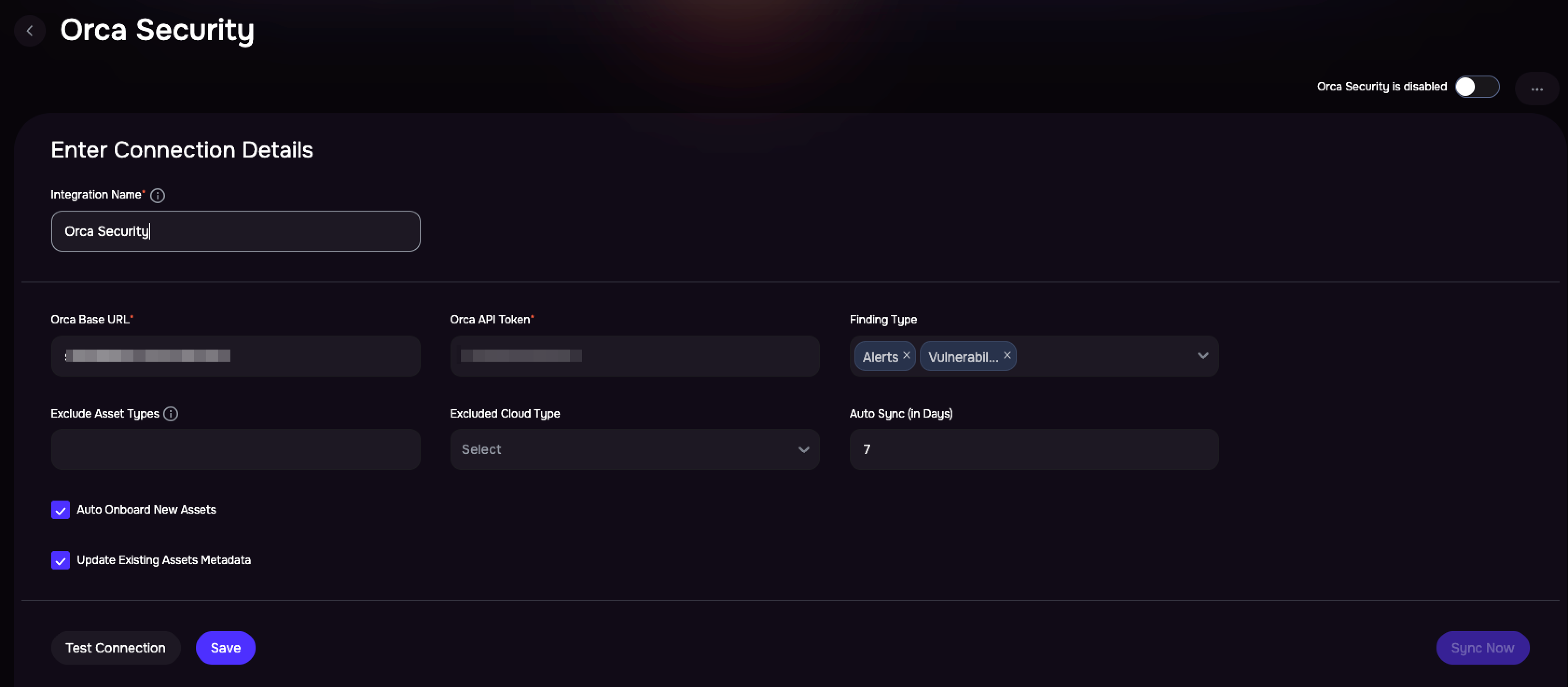
7. Integration with Orca SecuritySAFE now seamlessly integrates with Orca Security, a leading CSPM platform, to ingest cloud infrastructure assets, associated vulnerabilities, and security alerts.
|

.png)