Introduction
Questionnaire Re-assessment enables organizations to periodically re-evaluate third parties in a structured, repeatable, and auditable manner. It ensures that risk posture reflects the most current information while preserving historical assessments for audit and compliance purposes.
This capability introduces a manual, questionnaire re-assessment workflow. Each re-assessment creates a new questionnaire instance while locking prior assessments, ensuring a clear assessment trail and accurate scoring.
Key Benefits
Audit-ready re-assessments: Historical questionnaires are locked and preserved.
Operational consistency: Standardized re-assessment flow across all third parties.
Accurate scoring: Only the latest active questionnaire contributes to risk scoring.
Improved vendor experience: Vendors can view and reuse past responses.
Re-assessment Type
When initiating a re-assessment, analysts can choose one of the following modes:
1. Pre-filled Re-assessment
Creates a new questionnaire snapshot using responses from the previous assessment. Prior responses and evidence are carried forward for review and update. Historical linkage is removed to ensure a clean re-assessment instance.
2. Blank Re-assessment
Creates a new questionnaire with no pre-filled responses. Vendors complete the assessment from scratch.
Re-assessing a Questionnaire
Note
The Re-assess Questionnaire option will be available only if the questionnaire is in Completed status. Questionnaires in any other state must be completed before they can be re-assessed.
When questionnaires are archived as part of the reassessment process, any related Action Plans in SAFE that are in Open or In Progress status are not automatically closed or archived. Users must review and close these action plans manually, as needed.
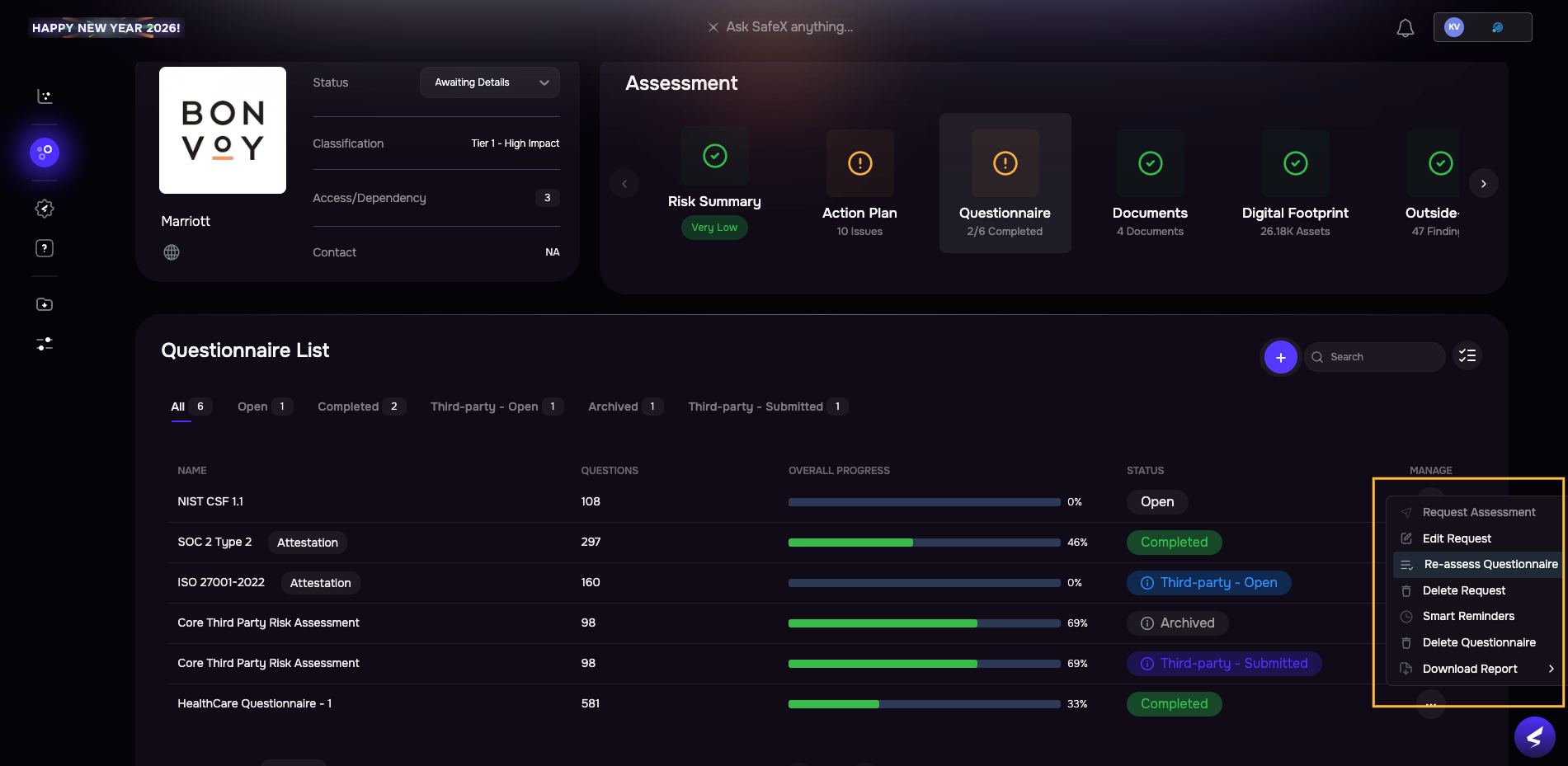
Navigate to the Questionnaire for a third-party.
Select a completed questionnaire from the list.
Click the three-dot option from the Manage column.
Click the Re-assess Questionnaire option.
On the pop-up screen, select the re-assessment type:
Blank questionnaire
Pre-filled with old responses

Once re-assessment is initiated, the platform automatically creates a new questionnaire instance.
The system archives and locks the previous questionnaire and excludes archived questionnaires from scoring.
Note
Archiving a questionnaire is an irreversible action. Once a questionnaire is marked as Archived, it is locked and cannot be moved back to In Progress or edited. Archived questionnaires are retained for audit and reporting purposes.
Vendor Experience
Vendors receive a new re-assessment request notification.
Vendors can access archived questionnaires for reference.
If pre-filled mode is used, vendors can reuse prior responses and update them as needed.
Vendors submit the re-assessment using the same workflow as an initial questionnaire.
Re-assessing Questionnaire in Bulk
An analyst can re-assess questionnaires in bulk and send requests to vendors directly from the Questionnaires list:
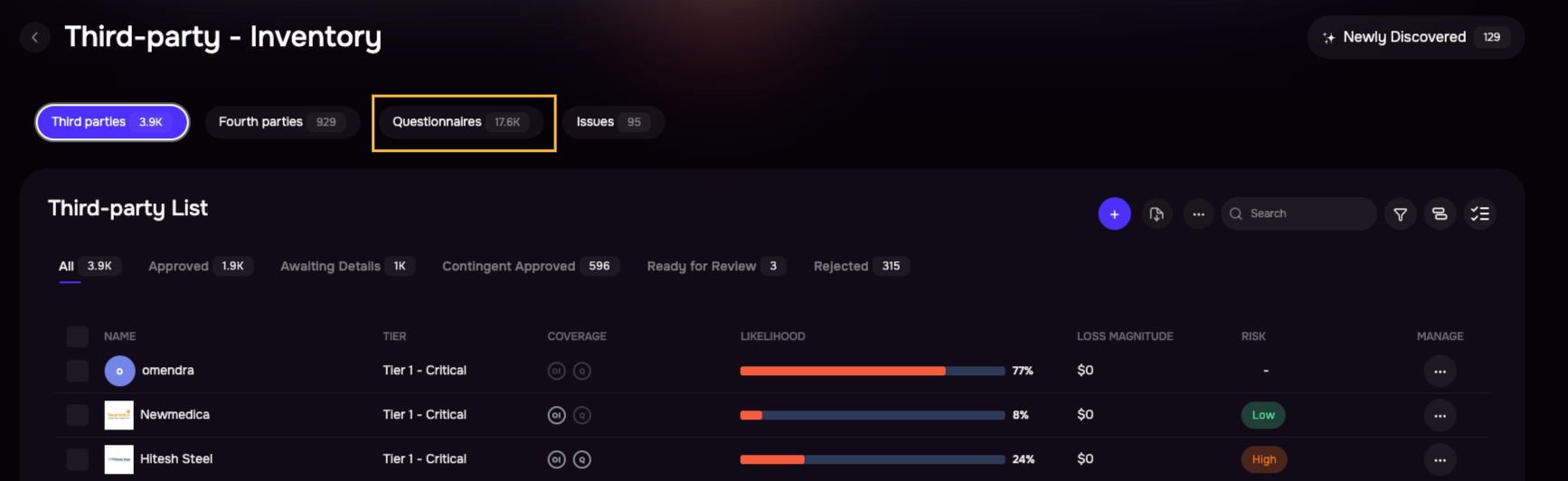
Navigate to the Third-Party page.
Click the Questionnaires tab.
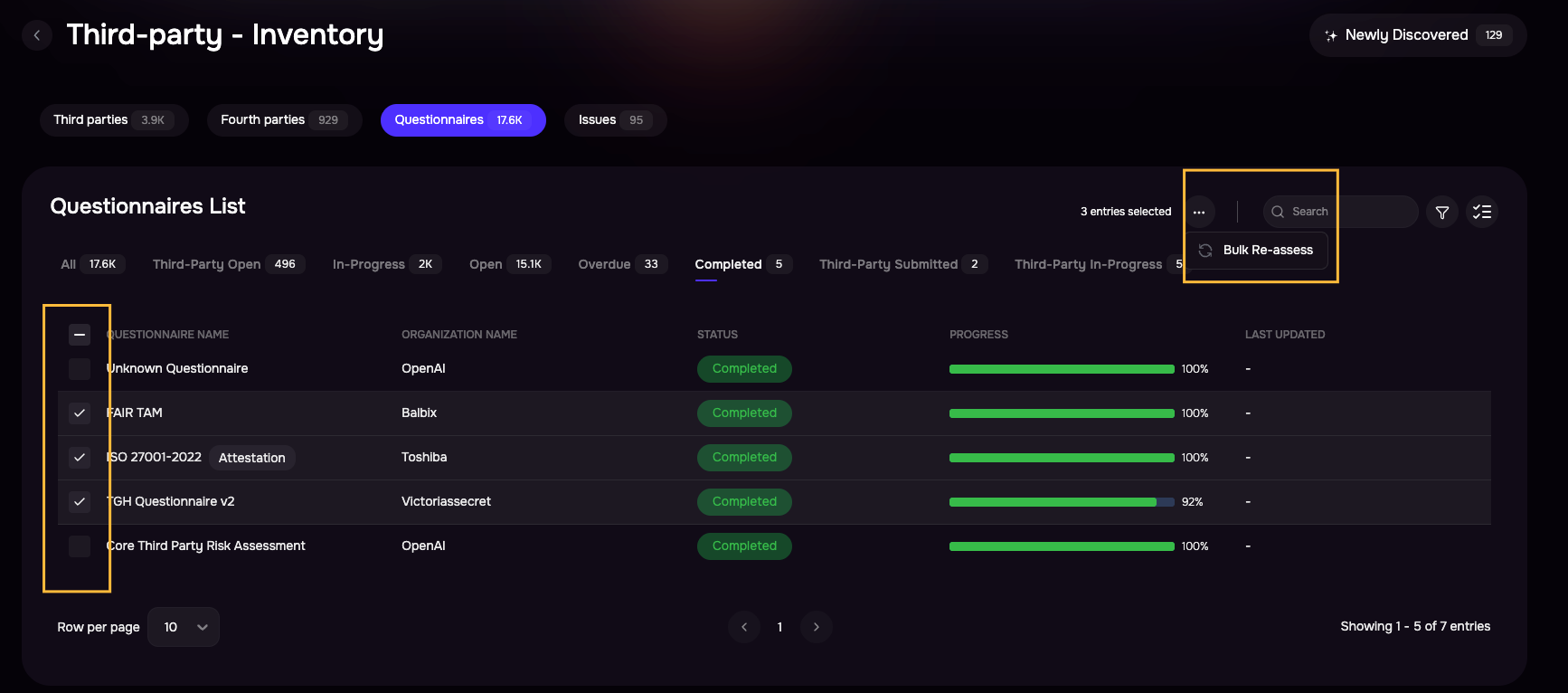
Select the completed questionnaires you want to re-assess.
Click the three-dot (more options) menu in the top-right of the table header.
Select Bulk Re-assess.
Choose the re-assessment mode: Blank Questionnaire or Pre-filled Questionnaire.
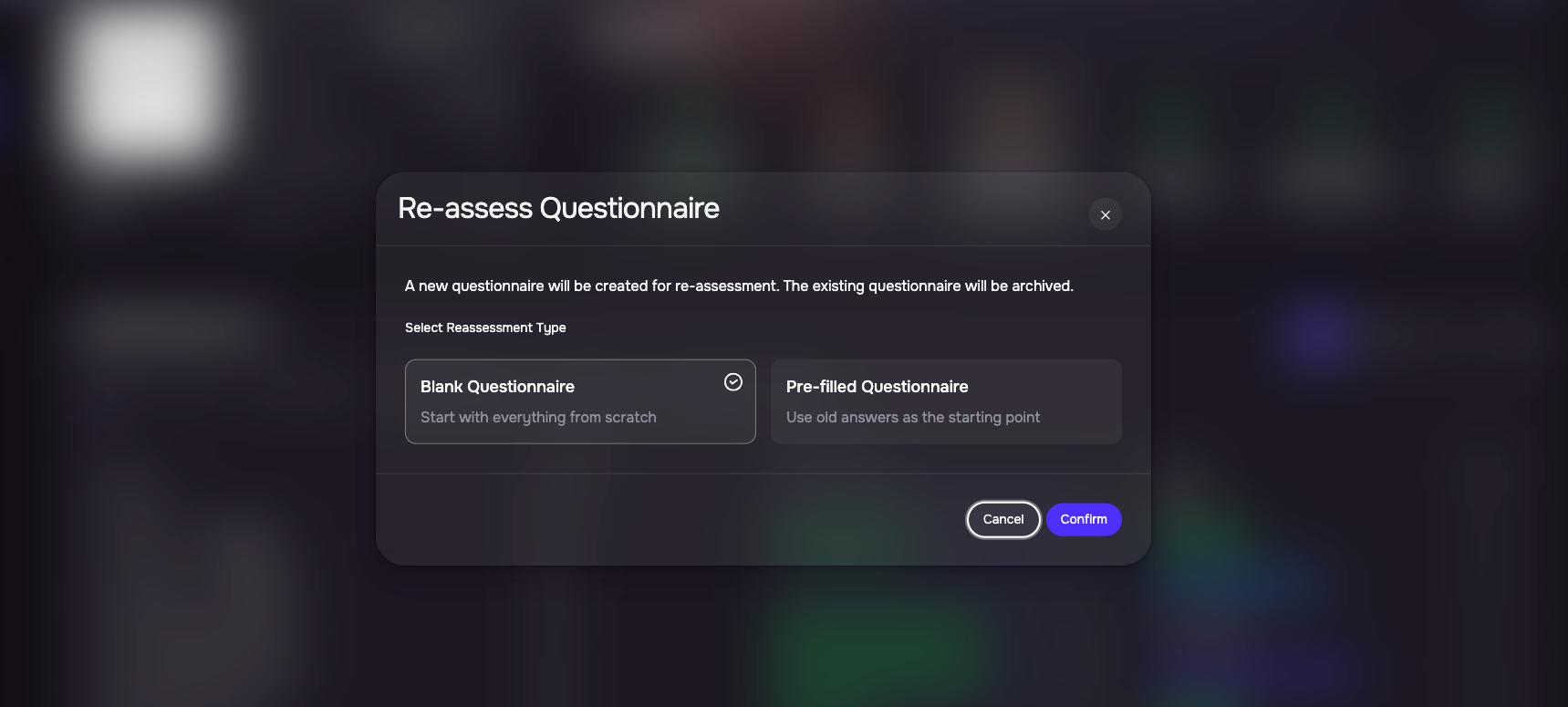
Click Confirm. The system creates new re-assessment instances and sends the re-assessment requests to the respective vendors.