Overview
The Centralized Document Store in SAFE TPRM provides a unified and secure location for managing documentation across Analyst and Vendor portals. This capability enables document reuse, controlled access, and efficient evidence management throughout the questionnaire lifecycle.
By consolidating documents into a single experience, SAFE improves visibility, reduces duplicate uploads, and streamlines collaboration between internal risk teams and vendors.
Key Highlights
Centralized Document Store (Analyst Portal): Upload, manage, and reuse documents across multiple questionnaires and assessments.
Direct Question Attachment: Attach documents directly to questionnaire questions by linking existing documents or uploading new files.
Document-Level Access Control
Restricted documents (internal-only, analyst visibility)
Third-party visible documents (accessible to vendors)
Previously submitted documents can be reused, reducing vendor effort and maintaining historical context.
Documents Analyzer
The integrated Document Analyzer enhances document workflows by automatically classifying uploaded files and generating concise summaries, enabling users to quickly understand key content without manually reviewing every page.
Automatic classification: Uploaded documents are categorized into predefined types, such as:
Policy
Compliance
Report
Others
AI-generated summaries: Each document receives a concise summary that highlights key themes and relevant information, enabling faster review and decision-making.
Specialized SOC 2 analysis: Documents related to SOC 2 are analyzed with additional context, helping users quickly identify relevant controls, scope, and compliance indicators.
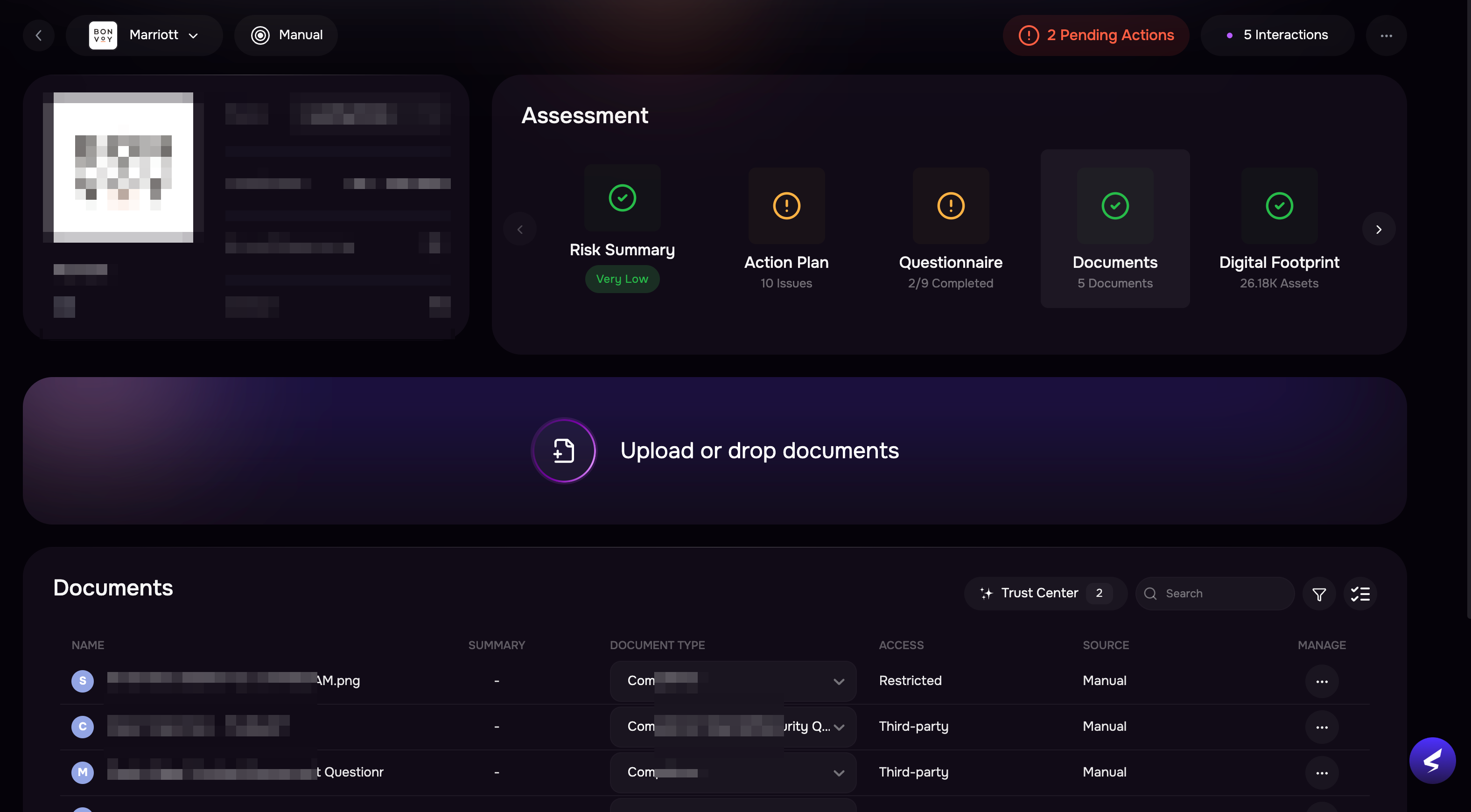
Uploading Documents
To upload a new document:
Navigate to the Documents card for a third-party page.
Drag and drop the file into the upload area, or click Browse to select a file from your system.
Once uploaded, the document is added to the document list and is available for:
Attachment to questions
Reuse across future assessments
Review and audit purposes
Deleting a Document
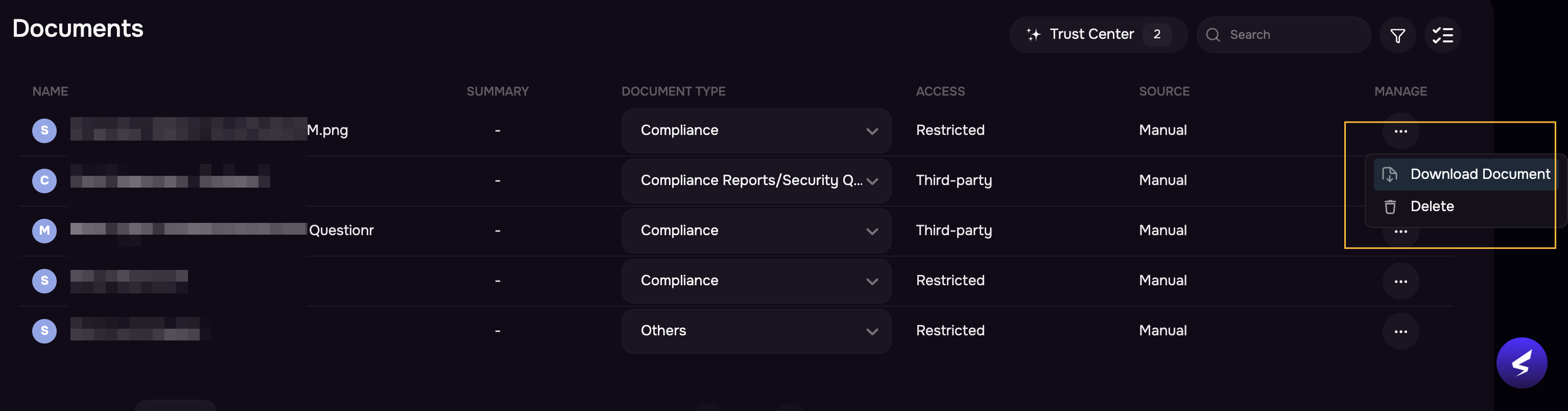
To delete a document:
Locate the document in the list.
Go to the Manage column.
Click the three-dot menu.
Select Delete.
The selected evidence will be permanently removed from the system.
Note
If a document is currently attached to one or more questionnaire questions, deleting the document will automatically delink it from all associated questionnaires. The questionnaire responses will remain intact; however, the supporting document will no longer be referenced or accessible.
Deleted documents are permanently removed and cannot be recovered.