Introduction
The Fourth-Party page provides visibility into indirect vendor dependencies discovered across your third-party ecosystem. These fourth parties represent services, infrastructure providers, and external technologies used by your vendors that may introduce additional supply-chain risk.
Info
SAFE can identify and monitor 10000+ fourth parties across third-parties, with visibility into how many third parties connect to each fourth party, providing early insight into downstream concentration risk.
The Fourth-Party risk view is designed to help your security teams:
Understand extended supply-chain exposure
Quickly identify high-risk indirect dependencies
Investigate breaches impacting downstream providers
Validate discovery confidence using traceable evidence
Prioritize risk assessment across thousands of discovered fourth-parties
This view focuses on usability, investigation speed, and trust in automated discovery.
Accessing all Fourth-Parties
Navigate to Third-Party from the left-hand navigation panel.
Click on the Fourth-Party tab available at the top of the Third-Parties page.
The system displays a list of all vendors associated with your third-party organizations.

Each entry in the Fourth-Party tab includes:
Fourth-Party Name
Linked Third-Party count (the number of direct vendors through which the fourth-party is associated)
Number of Breach Incidents associated with that fourth-party
SAFE Score
Option to Edit or Delete the Fourth-party
Accessing Fourth-Parties for an Organization
Navigate to a Third-Party details page
Click the Fourth-Party card.
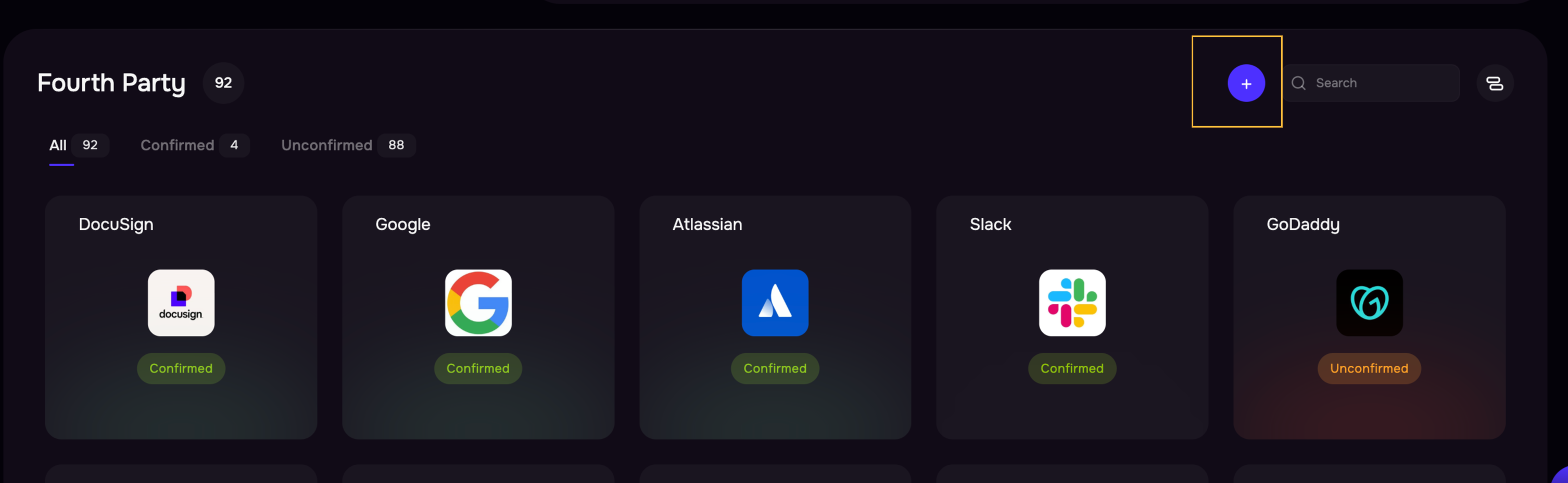
The system displays all the discovered third parties for that organization in a grid view.
The grid view is designed for fast triage and prioritization. Each card represents one fourth-party and displays the Name and Discovery confidence (Confirmed/Unconfirmed).

Clicking on any of the fourth-party, the system displays the details that include:
Name and domain
SAFE Score
Number of related third parties
Recent breach indicators
Discovery confidence (Confirmed / Unconfirmed)
Confirmed: Detected using multiple independent signals.
Unconfirmed: Detected using a single signal.
Analysts often review unconfirmed entries during validation or investigation workflows.
Categorization (e.g., Marketing, Productivity, Infrastructure)
Source: Auto-discovered
Evidences

Understanding Evidence and Traceability
Enterprise users require transparency into automated detection. Each fourth-party includes evidence explaining how SAFE identified it. Examples include:
DNS-based fingerprints
Web technology fingerprints
Infrastructure or network mapping
Evidence enables analysts to:
Validate discovery accuracy
Build trust in automated attribution
Support audit or reporting workflows
How SAFE Detects Fourth-Parties
SAFE automatically identifies fourth-party dependencies by analyzing technical signals associated with your third-party vendors. Detection is passive and does not require manual input. High-level detection methods include:
DNS Signal Analysis
SAFE analyzes publicly visible DNS configurations to identify service providers used by vendors, such as email platforms or infrastructure services.
Web Technology Identification
SAFE detects technologies running on vendor websites, including:
Analytics platforms
Identity and authentication services
CDN providers
Web frameworks
Payment and support integrations
These signals help identify indirect dependencies.
Infrastructure Mapping
IP address and network ownership analysis help attribute cloud providers and hosting environments used by third parties.
Data Refresh and Updates
Fourth-party discovery updates automatically when third-party attribution refreshes (approximately every 60 days). New dependencies may appear over time as additional signals are detected.
Add a Fourth party
While many fourth-parties are automatically discovered, SAFE also allows you to manually add fourth-party entities as needed.
Click the + button to add Fourth Parties for a third-party.
Select the organizations from the list.
Click the Link Fourth Party button.
The newly added fourth-party will now appear in the Fourth-Party view.
