Overview
The Activity Timeline provides a centralized audit trail to track third-party lifecycle events, questionnaire workflows, remediation activities, and AI/system-generated actions through both Table and Vertical Timeline views.
The timeline captures events across third-party management, assessments, questionnaires, issues, workflows, and other platform activities in chronological order.
Key Capabilities
The Activity Timeline enables organizations to:
Track all third-party lifecycle events centrally
Track questionnaire progression and remediation workflows
Track TPRM Analyst, vendor, AI, and system activities
Investigate historical changes and workflow actions
Maintain a complete compliance-ready audit trail
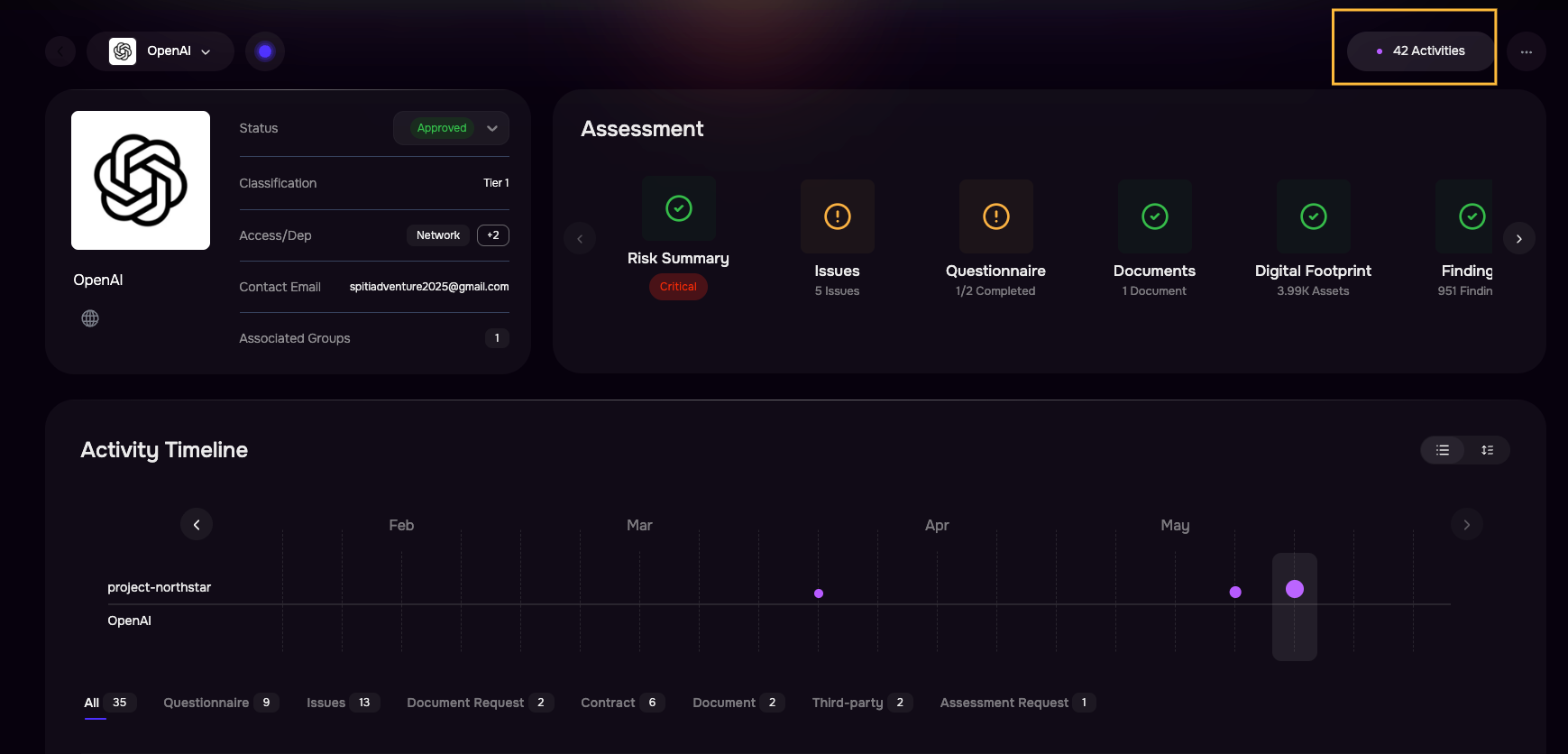
Accessing the Activity Timeline
To access the Activity Timeline:
Navigate to the Third-party Details page.
Click the Activities button located in the top-right corner of the page.
The Activities page displays all vendor-related activities associated with the selected organization.
By default, activities are displayed in two formats:
Table View
Vertical Timeline View
To switch to the Timeline View, click the View Switcher located at the top-right corner of the table.
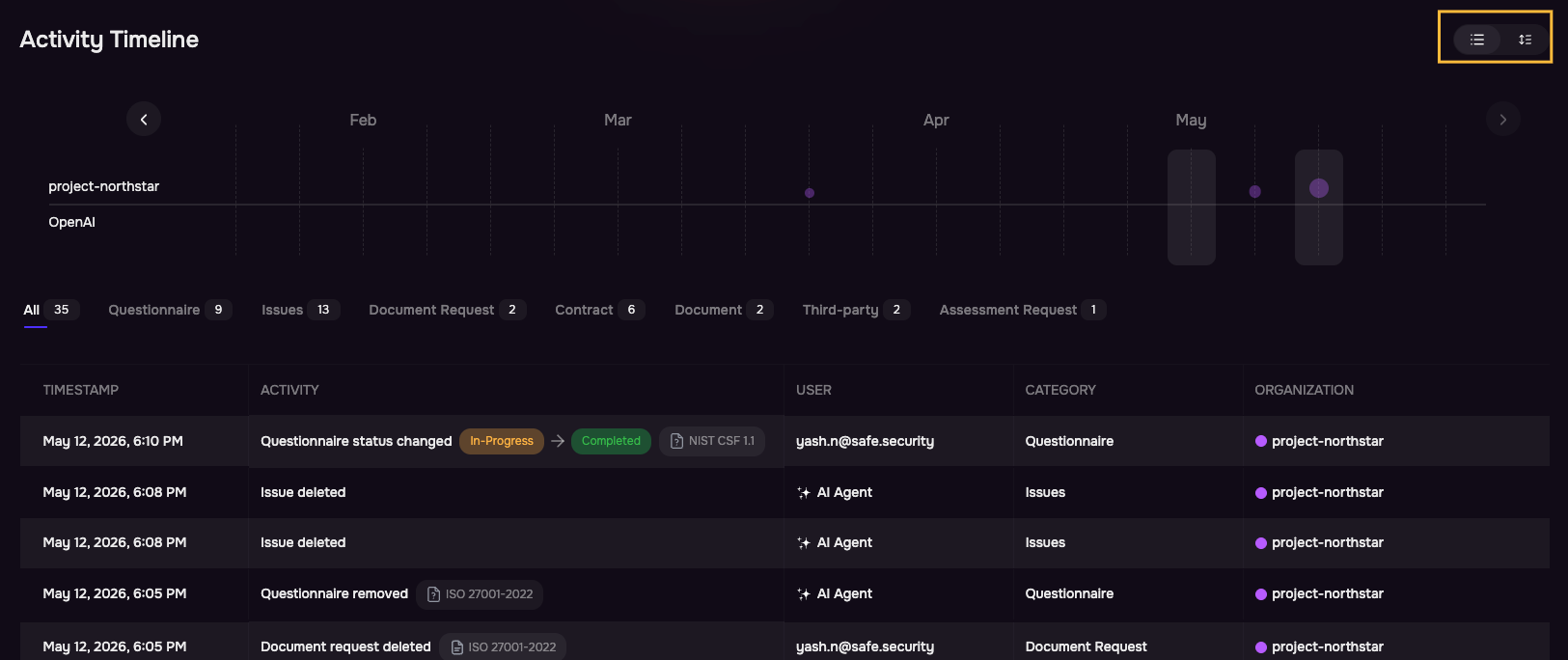
Table View
The default table view is optimized for operational analysis and investigation workflows.
Activities are displayed in reverse chronological order, ensuring the most recent activity appears first.
Column | Description |
|---|---|
Timestamp | Date and time of the activity |
Activity | Event description and contextual metadata |
User | User, vendor, AI agent, or system actor |
Category | High-level activity classification |
Organization | Associated vendor or organization |
Vertical Timeline View
The Vertical Timeline View provides a chronological visualization of all activities associated with the selected Third-party organization.
Each timeline entry includes the following information:
Element | Description |
|---|---|
Activity Title | High-level description of the event |
Timestamp | Date and time when the activity occurred |
Actor Information | User, vendor, AI agent, or system actor responsible for the activity |
Status Changes | Previous and updated status values, where applicable |
Reference Metadata | Associated questionnaires, frameworks, documents, findings, or related entities |
