Overview
The Attested Documents request capability in SAFE TPRM enables analysts to collect compliance evidence, such as SOC 2 reports, ISO certifications, CAIQ responses, or PCI DSS attestations, directly from vendors without sending a full questionnaire.
This workflow simplifies document-based assessments by allowing vendors to upload required documents through a dedicated experience. SAFE automatically processes submitted documents, converts them into structured findings, and updates risk insights to support faster analysis and decision-making.
Key Capabilities
Document-Only Request Type: Create attestation requests without initiating a full questionnaire assessment.
Enhanced Analyst Visibility: Dedicated request-type indicators in the questionnaire list enable quick identification and filtering of attestation-based requests.
Guided Vendor Experience: Vendors receive a direct upload link with clear instructions, validation checks, and confirmation upon successful submission.
Automated Email Notifications: Built-in email notifications and reminders help ensure timely document submission.
Assessment Lifecycle Controls: Analysts can review submissions, reopen requests with comments, and re-request evidence without losing context.
Centralized Document Management: All uploaded files are validated, securely stored in the Document Store, and linked to the associated assessment.
How do attested document requests work?
The analyst selects required attestations (e.g., SOC 2, ISO certifications) from the questionnaire section.
SAFE generates a document-only request instead of a full questionnaire.
The vendor receives a link to upload the requested documents.
After submission, SAFE automatically assesses the uploaded documents and converts them into questionnaire findings.
Risk insights and assessment results are displayed to the TPRM analyst for review.
Create an Attested Document Request
Follow these steps to request attested documents from a vendor:
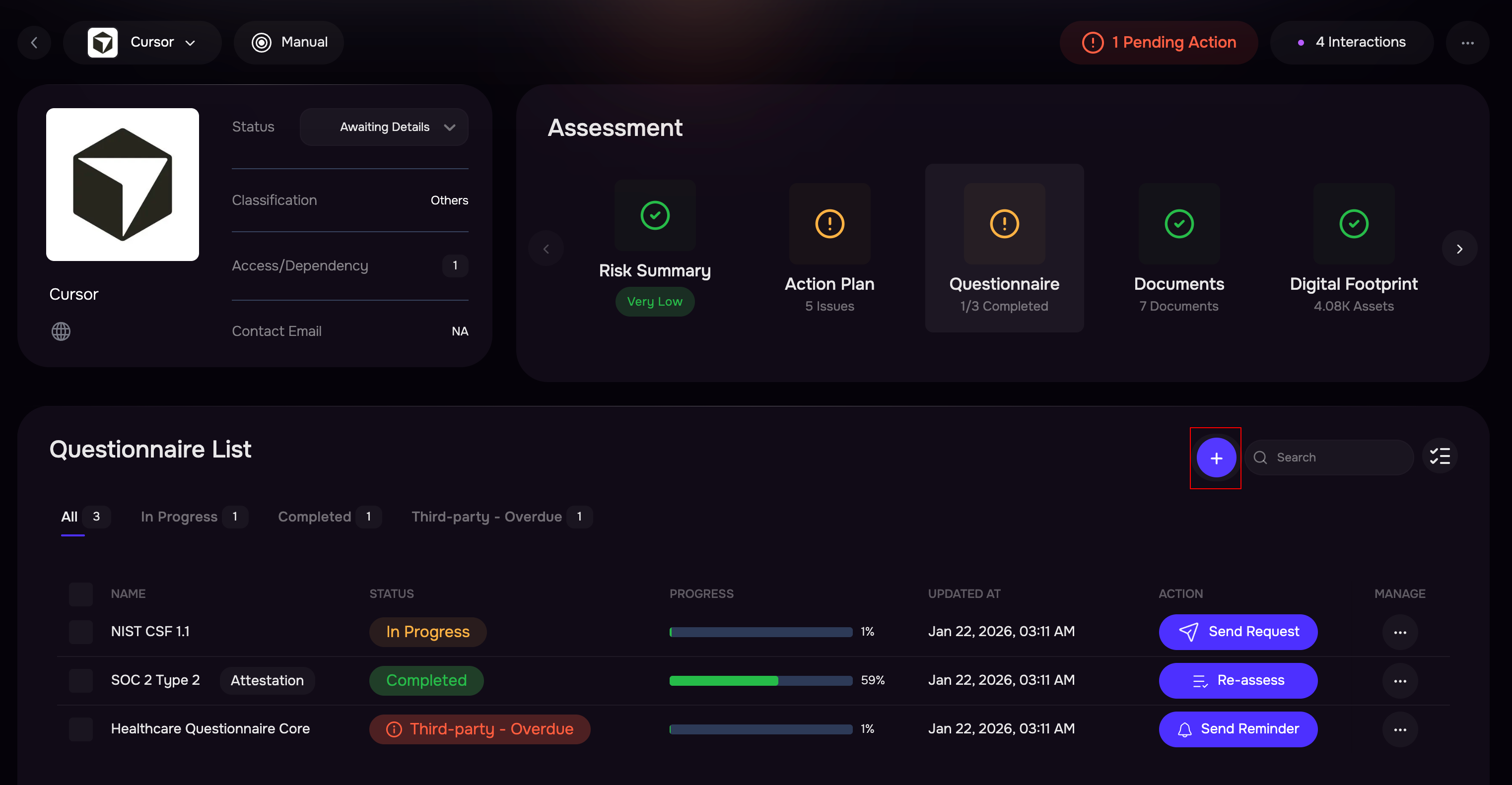
Navigate to Questionnaire Cards.
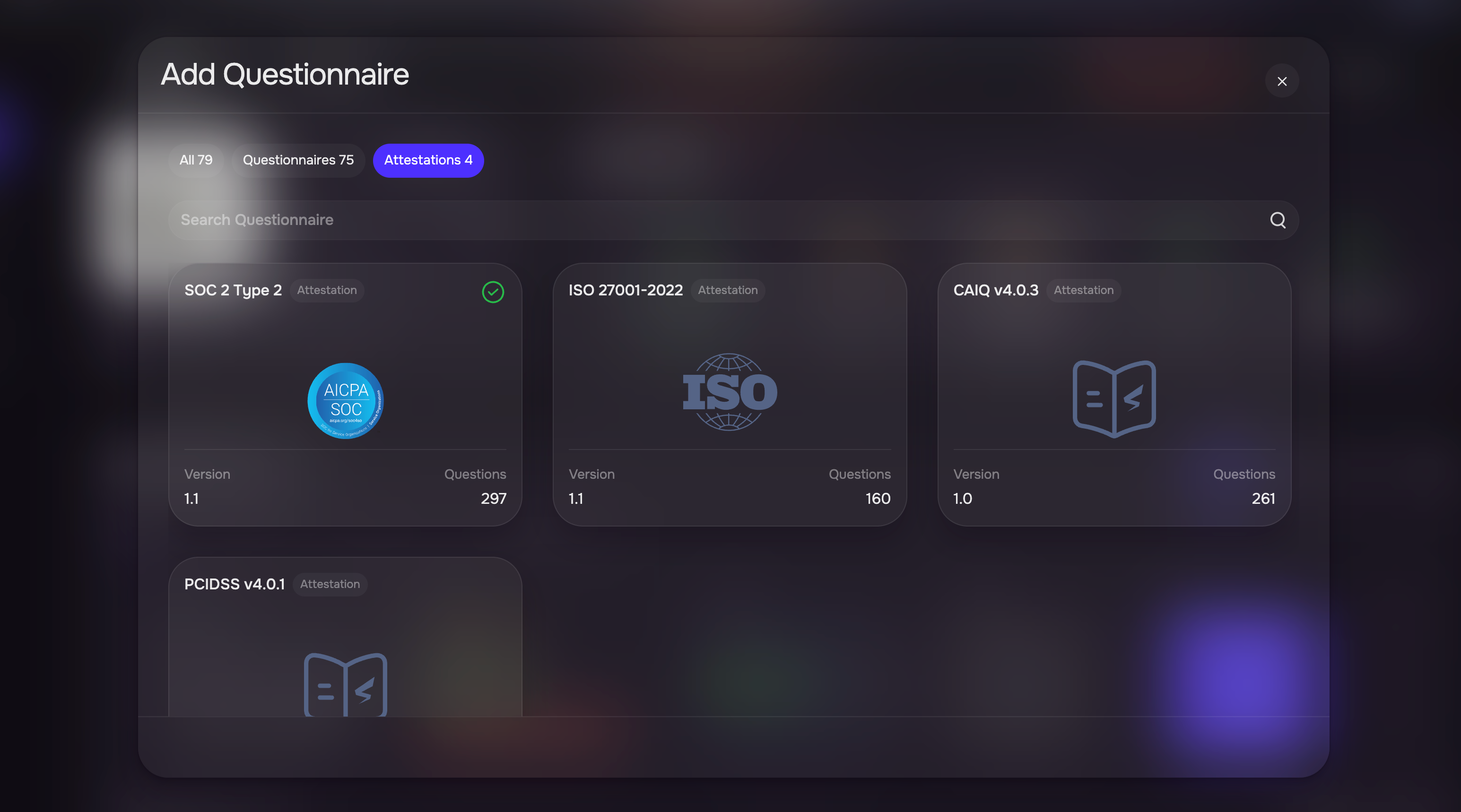
Click the Plus (+) icon to create a new questionnaire request.
On the Add Questionnaire page, select the Attestations tab.
Add the required attested documents from the available list (e.g., SOC 2, ISO, CAIQ, PCI DSS).

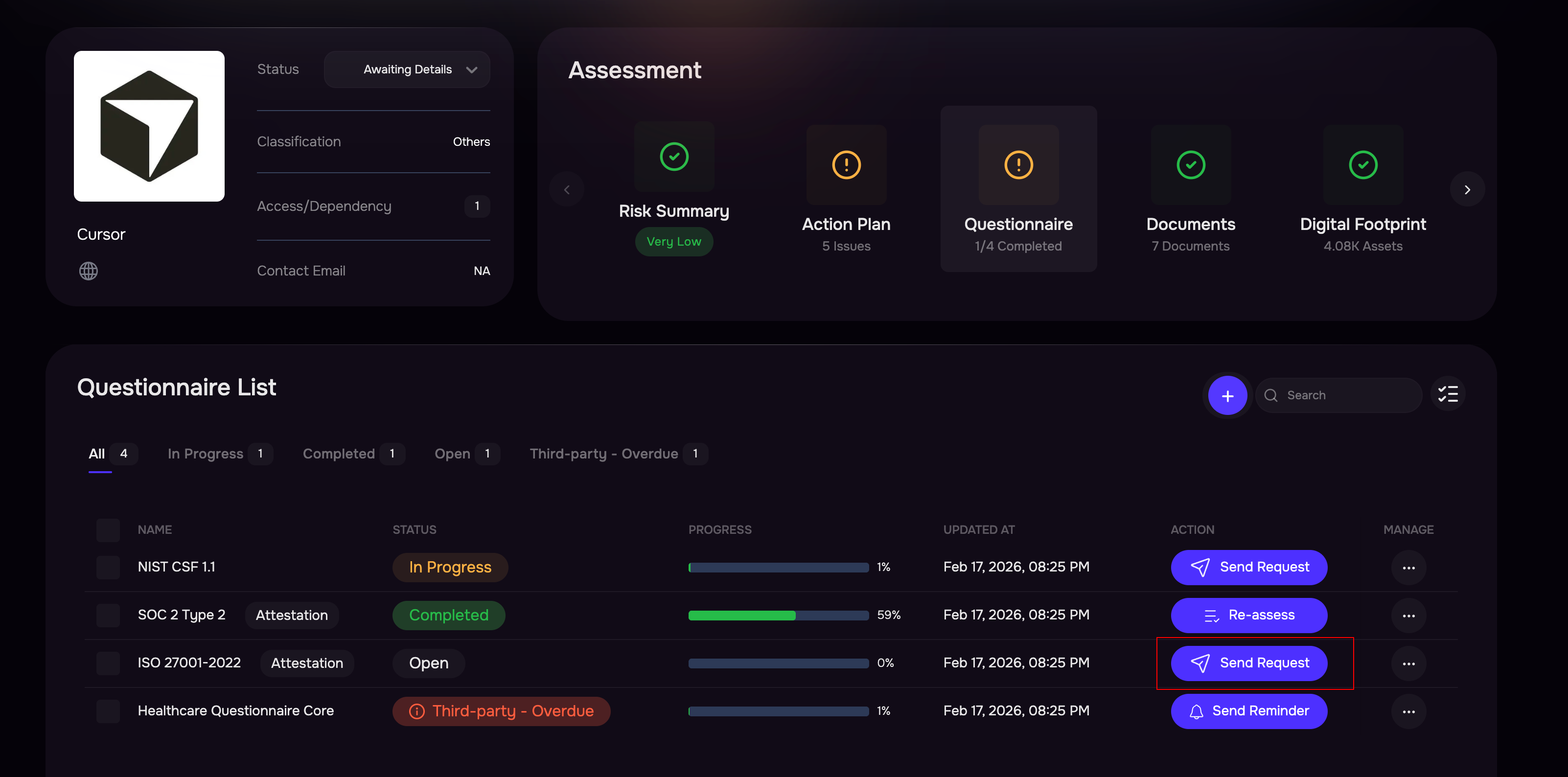
The added attestation requests will appear in the questionnaire list.
Open the three-dot options menu and select Request Assessment to send the request to the vendor.
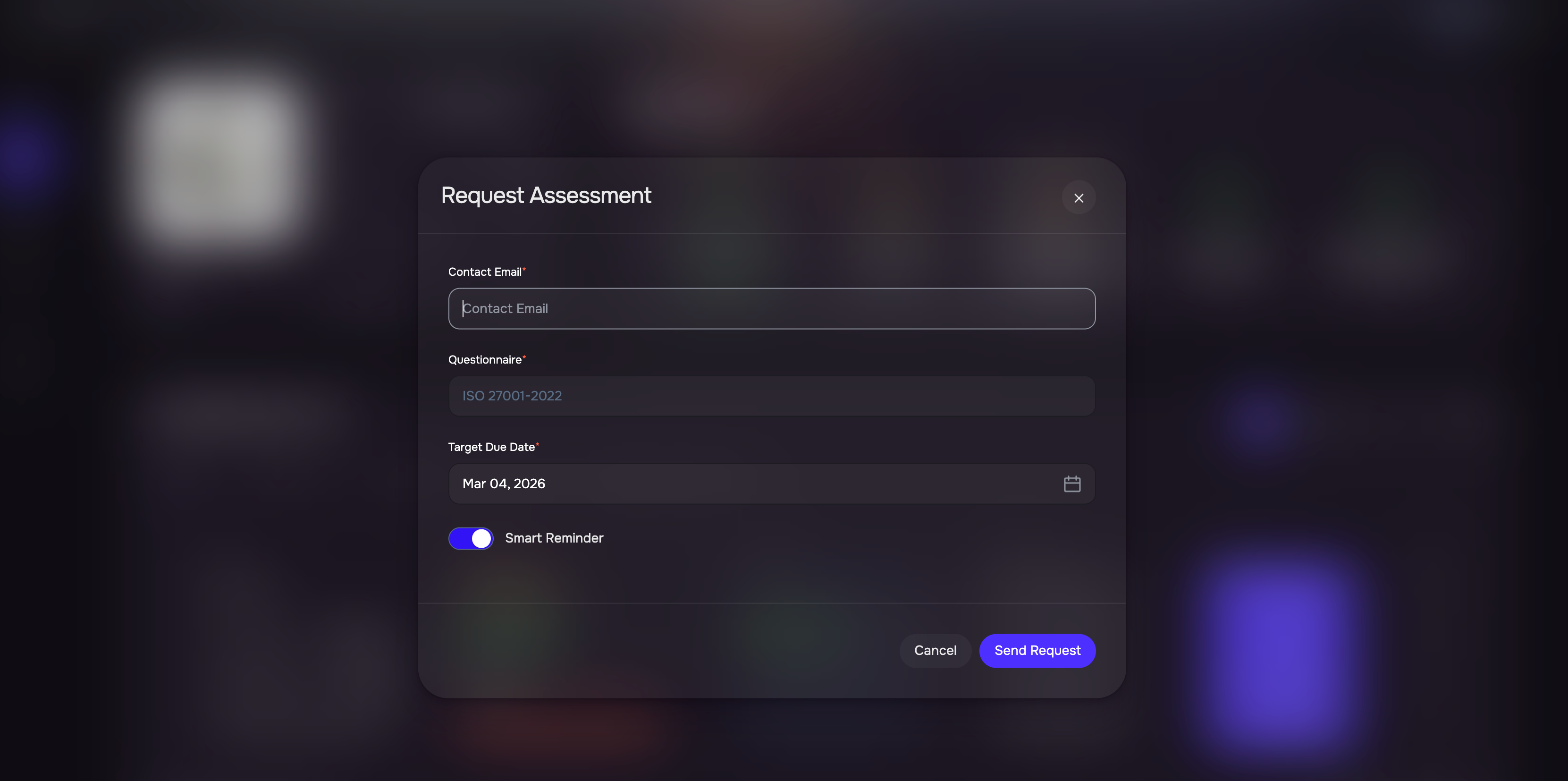
Enter the vendor's email address and the due date.
Make sure Smart reminder is enabled.
Click the Send Request button.
Vendor Experience
The vendor receives a secure link designed specifically for document uploads.
Instead of completing a full questionnaire, the vendor uploads the requested attested documents directly.
Upload validations ensure the correct files are submitted.
Upon completion, the vendor receives confirmation of successful submission.
Assessment Processing and Results
SAFE processes uploaded documents automatically in the background.
The platform converts submitted files into structured findings aligned with the assessment framework.
Risk insights and evaluation results are generated and displayed to the TPRM analyst.
Analysts can review, approve, or request additional evidence as needed.