Introduction
The Automation Mode setting allows administrators to control how automation workflows are executed for newly onboarded third parties in SAFE. Organizations can choose between a fully AI-driven experience or a more controlled manual approach, depending on their governance and operational requirements.
Navigate to: Settings > Third Party > Automation Mode Tab
The page displays two automation modes:
AI Managed (Recommended)
Manual
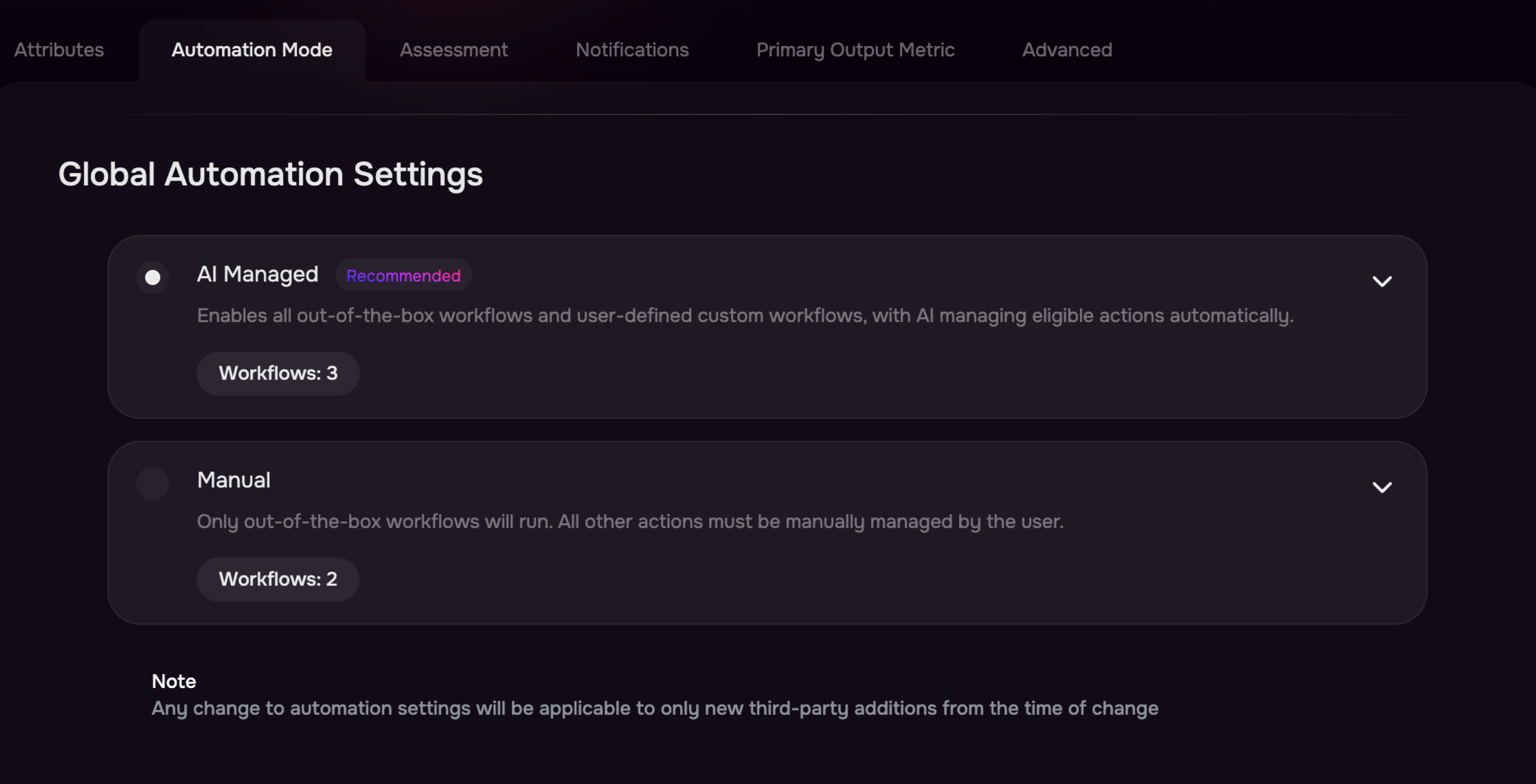
AI Managed Mode (Recommended)
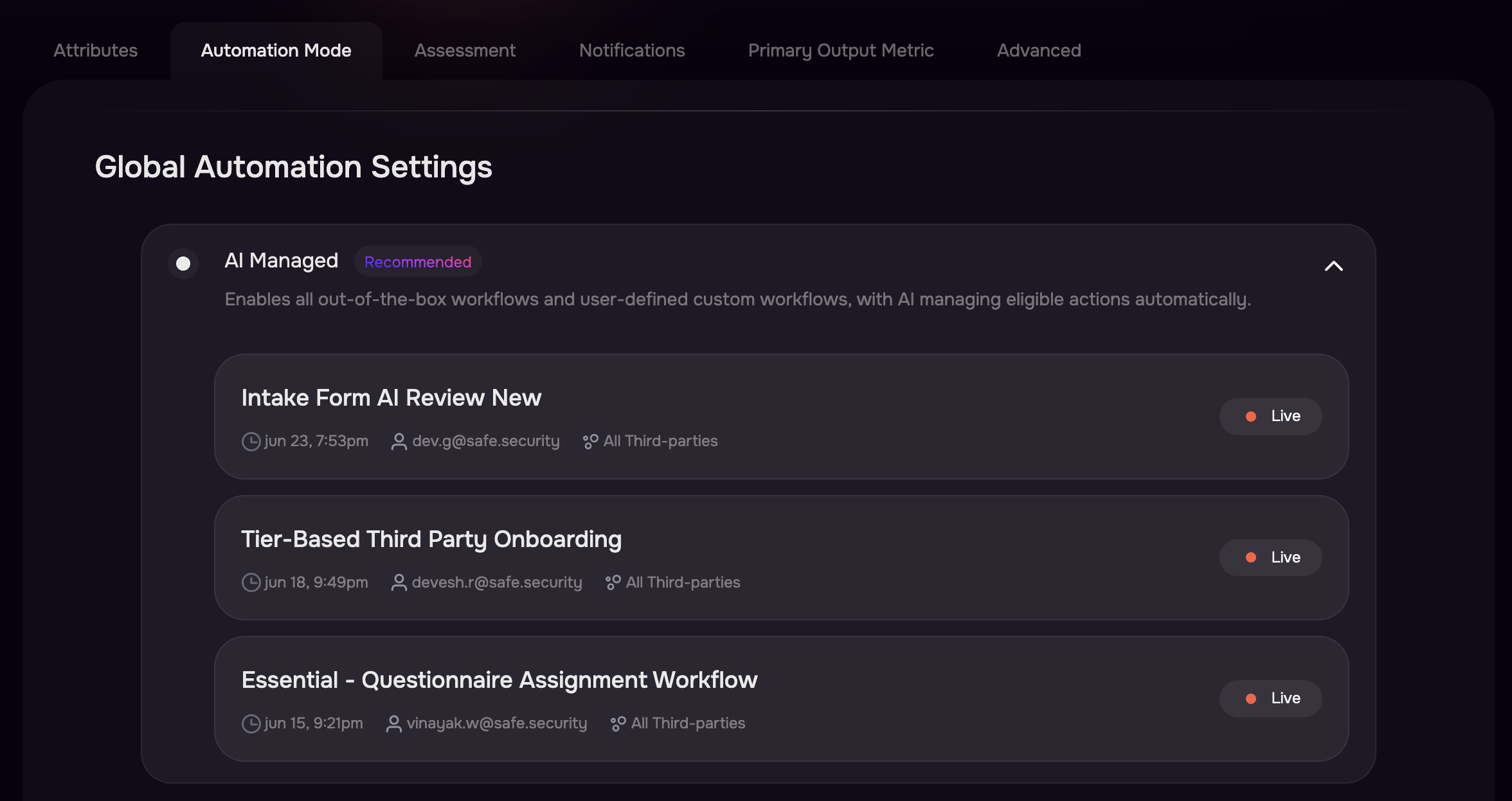
AI Managed mode enables SAFE to automatically execute all eligible workflows, including both out-of-the-box (OOB) workflows and user-defined custom workflows.
This mode is recommended for organizations that want to maximize automation and reduce manual intervention during vendor onboarding and lifecycle management.
What happens in AI Managed mode?
All eligible out-of-the-box workflows are executed automatically.
Custom workflows created by your organization are also executed automatically.
AI evaluates workflow conditions and performs supported actions without requiring user intervention.
New third parties are automatically processed according to the configured workflow rules.
Typical automated activities include:
Third-party Tier assignment
Questionnaire assignment
Assessment Initiation
and Other workflow-driven automation configured by your organization
Manual Mode
Manual mode provides greater control by limiting automation to SAFE's predefined workflows. When this mode is enabled only supported out-of-the-box (OOB) workflows execute automatically. For example, the following OOB workflow such as Third-Party Vendor Tiering continues to run automatically.
Switching Automation Modes
To change the automation mode:
Navigate to Settings > Third Party > Automation Mode.
Select either AI Managed or Manual.
Review the workflows associated with the selected mode, if displayed.
The selected mode becomes the default automation behavior for all newly created third-party records.
Notes
Changing the Automation Mode does not retroactively update existing third parties. Only vendors added after the change will follow the newly selected automation mode.