Overview
The Breach Events section in SAFE provides a centralized workspace to monitor, investigate, and respond to cybersecurity breach incidents affecting your third-party and fourth-party vendors.
Instead of tracking breach notifications across multiple external sources, users can view all relevant breach intelligence in one place, understand which vendors are affected, and initiate remediation workflows directly from SAFE.
Accessing Breach Events
Navigate to: Third-Party Inventory page and click the Breach Events Tab
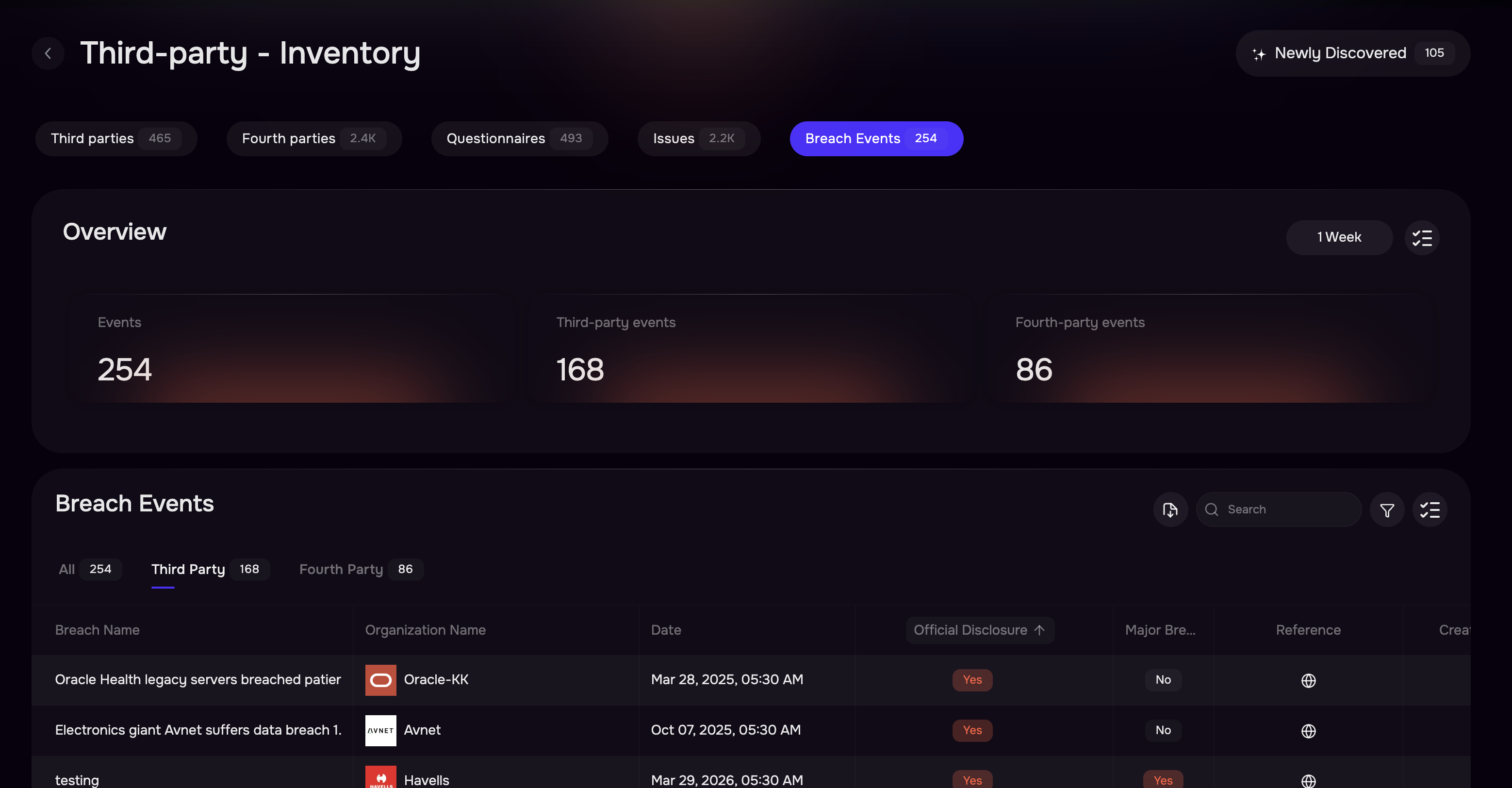
The Breach Events page contains two primary sections:
Insights
Breach Events Table
Breach Events Insights
The dashboard provides a quick summary of breach activity across your external ecosystem.
Card | Description |
|---|---|
Total Events | Total breach events discovered |
Third-Party Events | Breaches affecting direct vendors |
Fourth-Party Events | Breaches affecting vendors of your vendors |
Time Filter
Users can change the reporting window using the time selector.
1 Week
1 Month
3 Months
1 Year
Breach Events Table
The table displays every breach event discovered from SAFE's External Risk Signals pipeline.
Column | Description |
|---|---|
Breach Name | Name or headline of the reported breach |
Organization Name | Vendor affected by the breach |
Relation | Indicates whether the organization is a Third Party or Fourth Party |
Date | Date the breach was reported |
Official Disclosure | Indicates whether the victim has officially acknowledged the breach |
Reference | External source lonk for the breach report |
Create Issue | Creates a remediation issue directly from the breach |
Viewing Breach Details
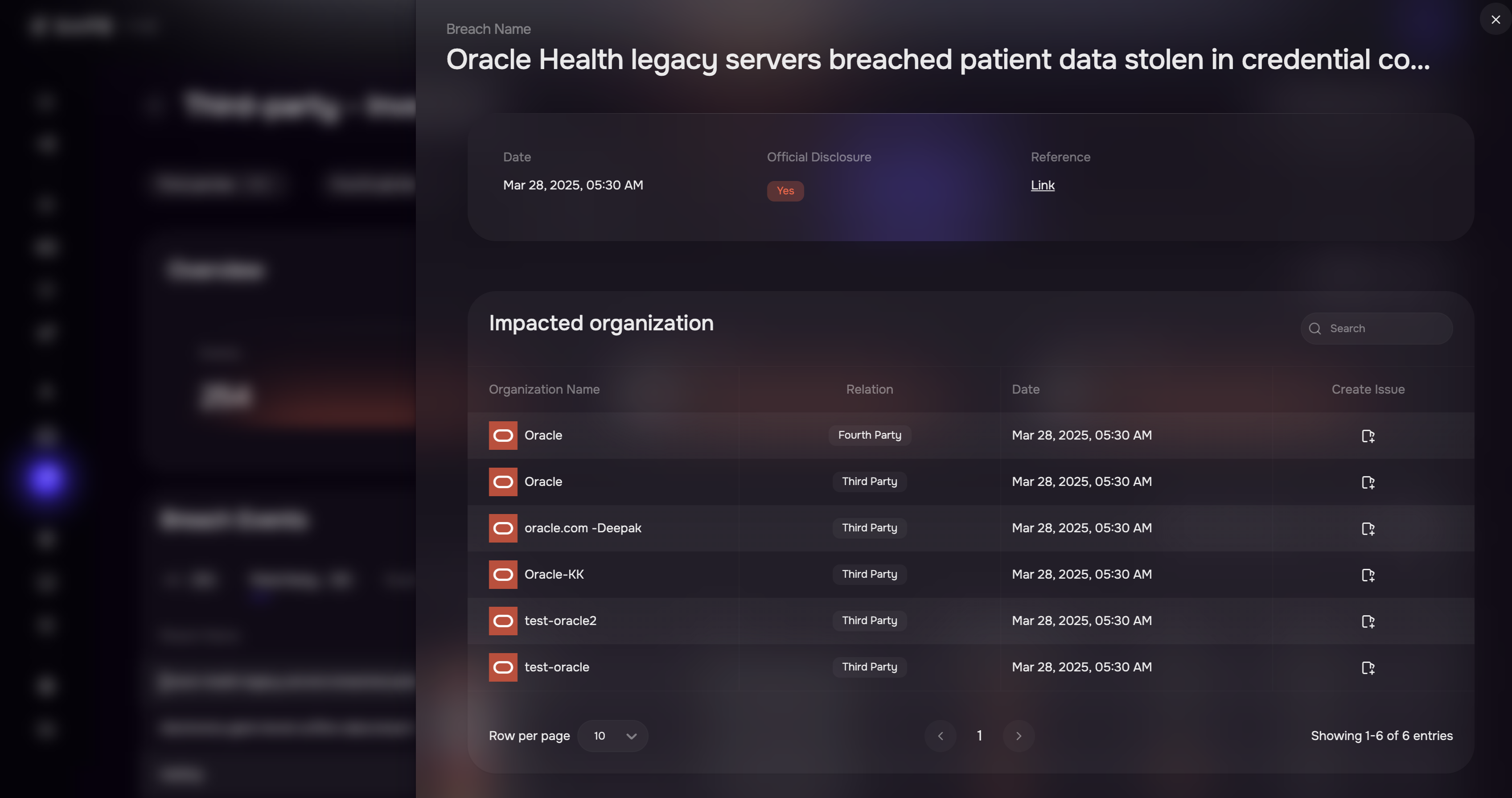
Clicking a breach opens the Breach Details page.
The dialog provides:
Breach Information
Breach Name
Date
Official Disclosure Status
Reference Link
Impacted Organizations