Overview
Control Maturity Inheritance enables organizations using SAFE to automatically propagate control maturity settings across groups. This capability ensures governance consistency, reduces manual configuration effort, and maintains standardized risk assessment practices across organizational structures.
By leveraging inheritance, users can create new groups that automatically align with enterprise-defined control maturity baselines, eliminating repetitive configuration while maintaining clear governance visibility and auditability.
Key Capabilities
Automatically inherit control maturity from the enterprise or other group, with default inheritance configurable globally.
Full audit trail capturing who enabled inheritance and the rationale
Inherited controls and findings are clearly indicated and read-only by default, with an option to override during copy
Inheritance remains independent of VMC, DSC, linked findings, or questions, ensuring predictable behavior.

Global Default Inheritance
Administrators can configure default inheritance behavior from Settings > Advanced > Controls, allowing:
Automatic inheritance from enterprise controls for newly created groups.
Standardization across the organization without requiring manual configuration.
.png)
Group-Level Control Inheritance
Group-Level Control Inheritance allows SAFE users to propagate control maturity configurations from one group to other groups. Inherited controls maintain traceability and transparency through audit logs and rationale tracking.
Steps to Configure Group-Level Control Inheritance
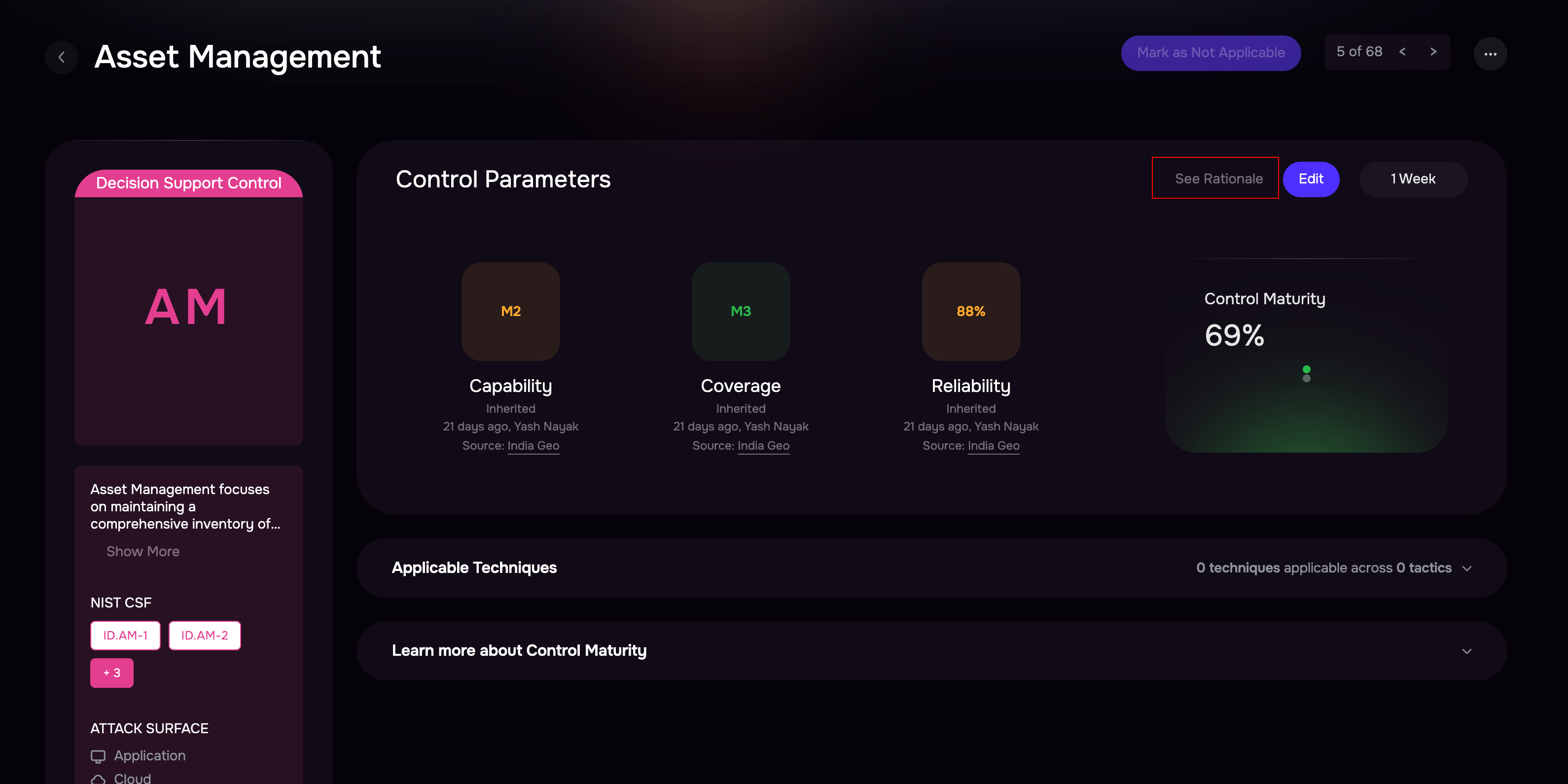
Navigate to the desired Group where the source control is configured.
Click on the Controls tab within the selected group.
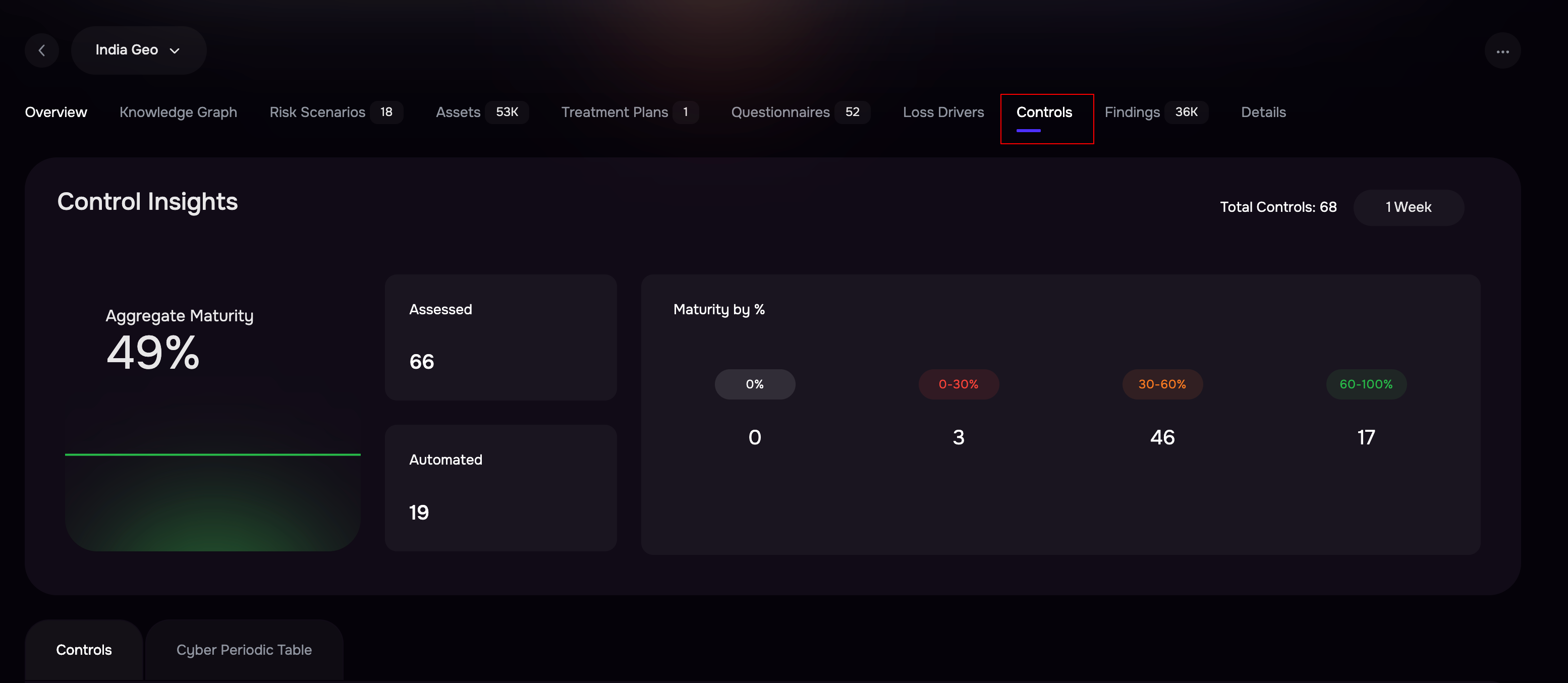
Locate and select the control that you want to inherit to other groups.
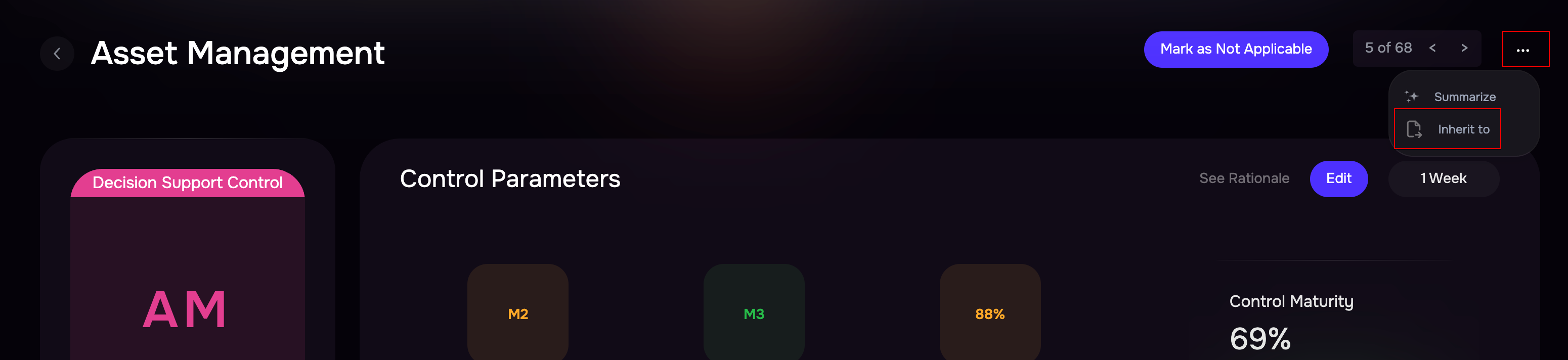
Click the three-dot options menu (⋯) located at the top-right corner.
Select Inherit To.
Choose one or more groups to inherit the control.
Add a rationale to provide a justification for the inheritance. This rationale is recorded for audit and governance purposes.
Click Save to apply inheritance.

The selected groups will now inherit the control maturity configuration.
After inheritance is configured, all target groups that receive inherited controls appear in the left panel under the Inherited To section.
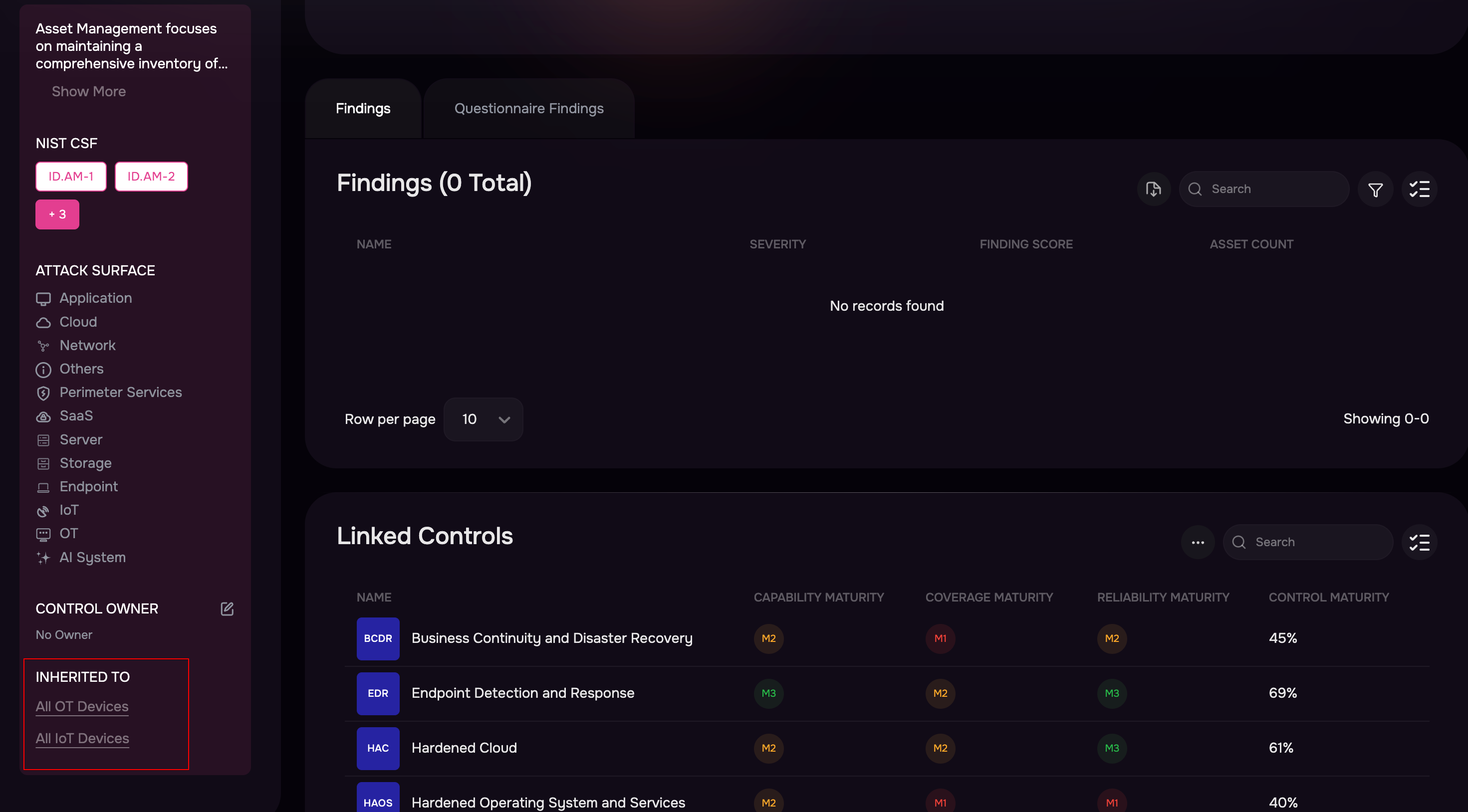
Click any group from the list to review inheritance details.
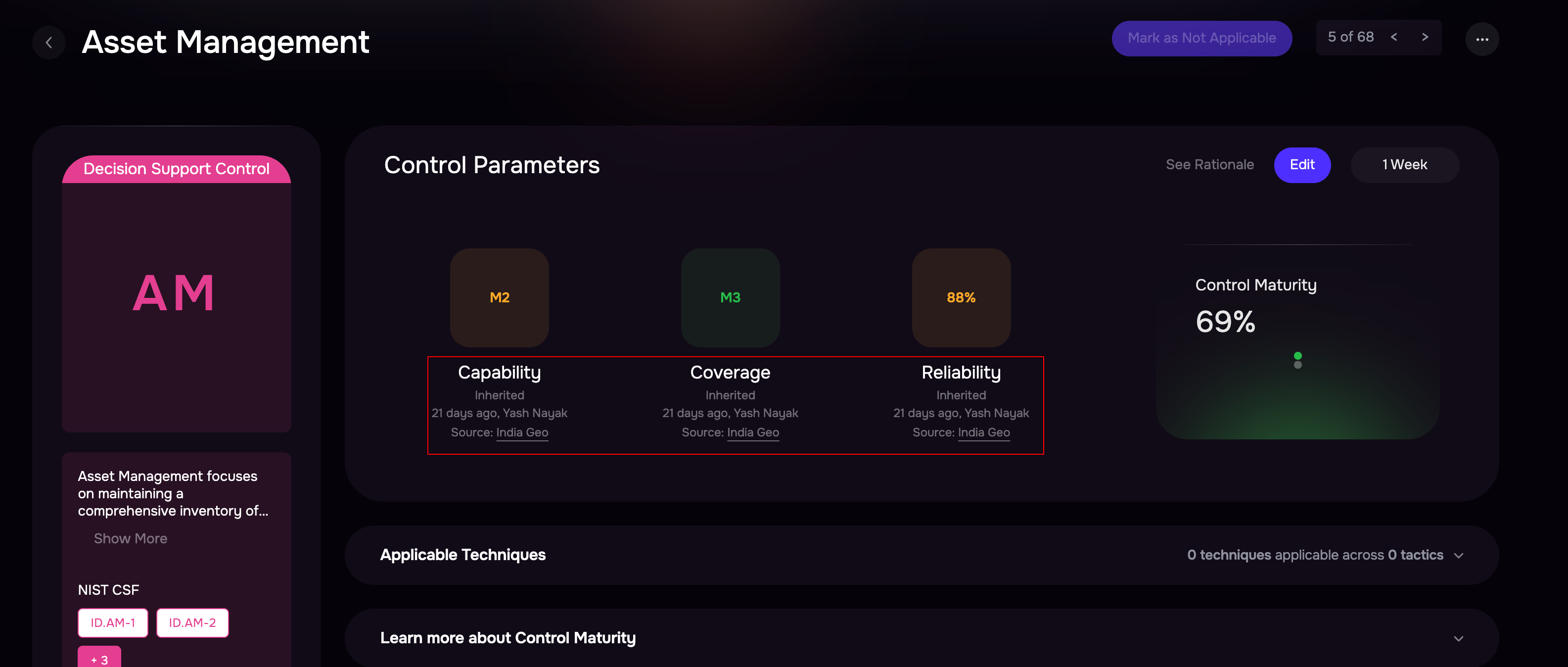
Click See Rationale to review the detailed explanation provided during configuration.