The widget menu gives you quick access to actions that let you manage, share, or automate insights from your dashboard. Click on the 3 dot menu to access it.
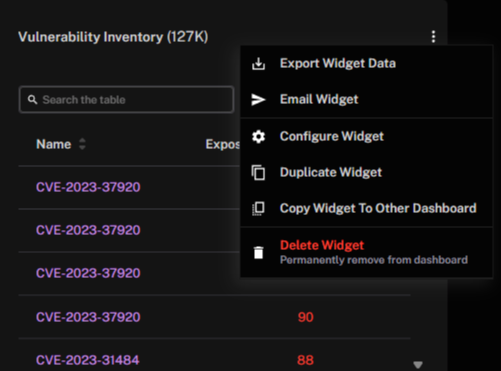
Export Widget Data: Downloads the widget’s underlying dataset; applies only to vulnerability-related widgets.
Email Widget: Sends the current widget as an email snapshot to selected recipients.
Configure Widget: Opens the widget configuration panel to modify data sources, filters, or display options.
Duplicate Widget: Creates a copy of the widget on the same dashboard.
Copy Widget To Other Dashboard: Clones the widget to a different dashboard.
Delete Widget: Permanently removes the widget from the dashboard.
Widget-level Visibility into Remediation Action Coverage
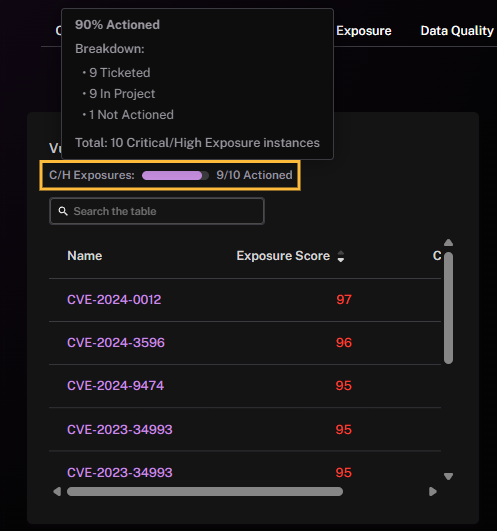
In exposure-related widgets (vulnerabilities or findings), hover over the C/H Exposure bar (critical/high exposures) to see its action information capsule, that contains remediation progress.
See Also: