Automations allow you to streamline repetitive security tasks by defining specific rules and actions, reducing manual effort, and ensuring consistency across your security operations. By automating these tasks, you eliminate the need for constant manual oversight, freeing your team to focus on higher-value activities.
Using filters and predefined criteria, automations automatically identify assets, vulnerabilities, applications, or findings that meet your defined conditions. Once identified, Balbix triggers configured actions—such as tagging, sending notifications, creating tickets, or generating exports—so you can rapidly address risks or maintain compliance without manual intervention.
Balbix provides specialized automations tailored to different security contexts, including Assets, Asset Vulnerabilities, Applications, and Appsec Findings. Each automation type offers targeted actions relevant to the specific workflow it supports, making it easy to address distinct security requirements efficiently.
Ultimately, leveraging automations increases your operational efficiency, accelerates remediation, and ensures critical security processes consistently align with organizational policies and risk management strategies.
Follow this procedure to create an automation:
You can also see the walkthrough in this link
Types of Automations
There are 4 types of automations, depending on the element type:
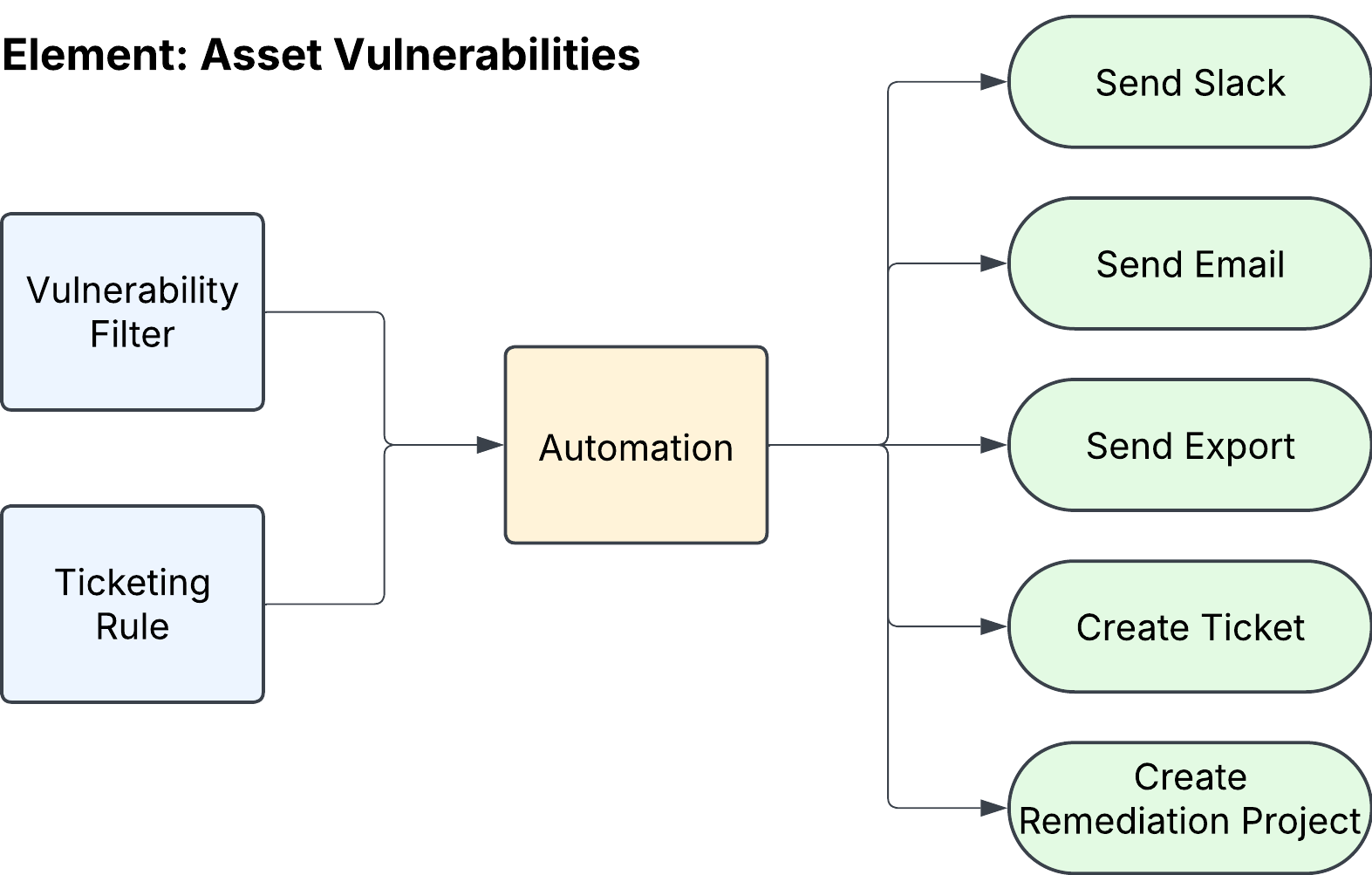
Asset Vulnerabilities Automation
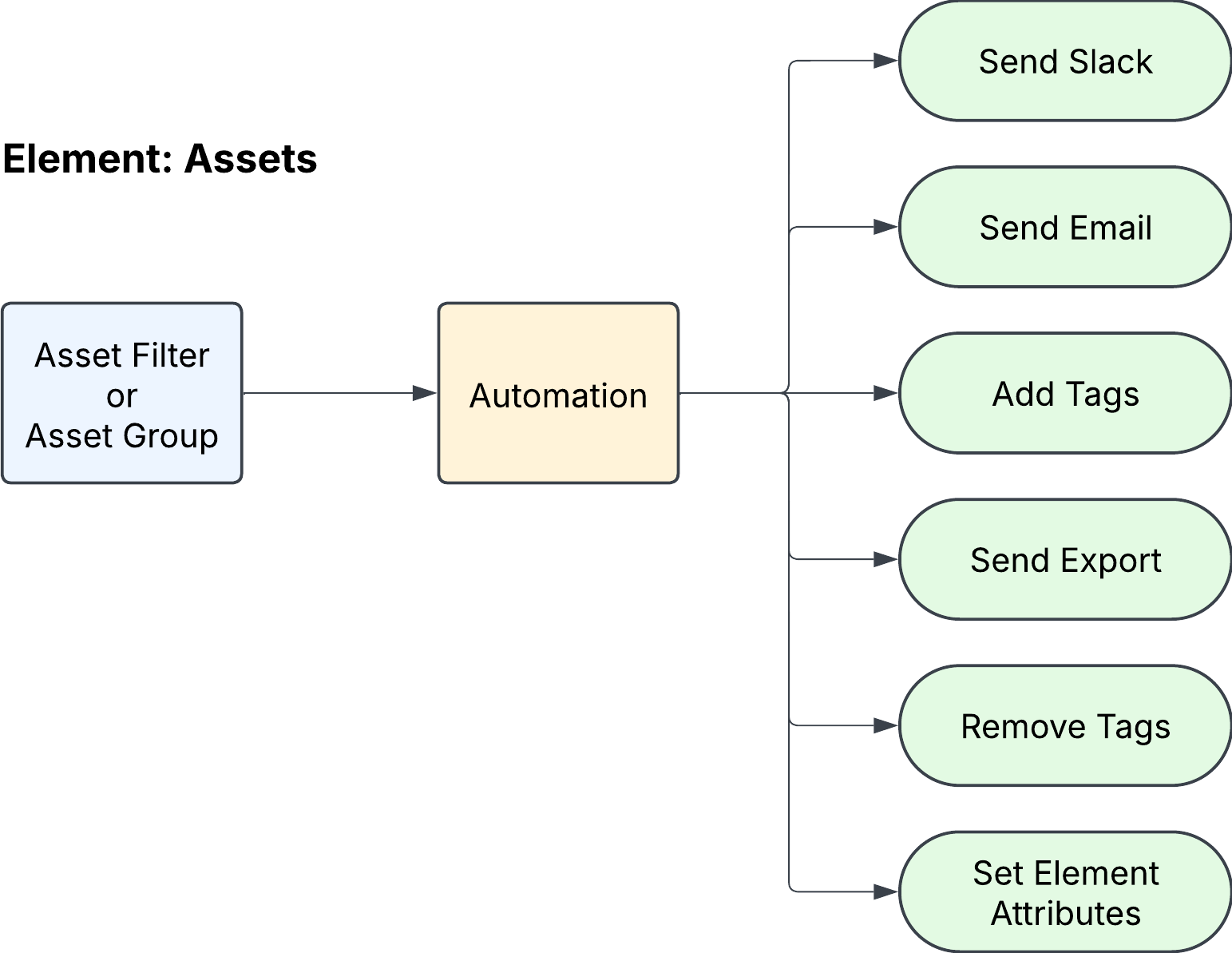
Assets Automation
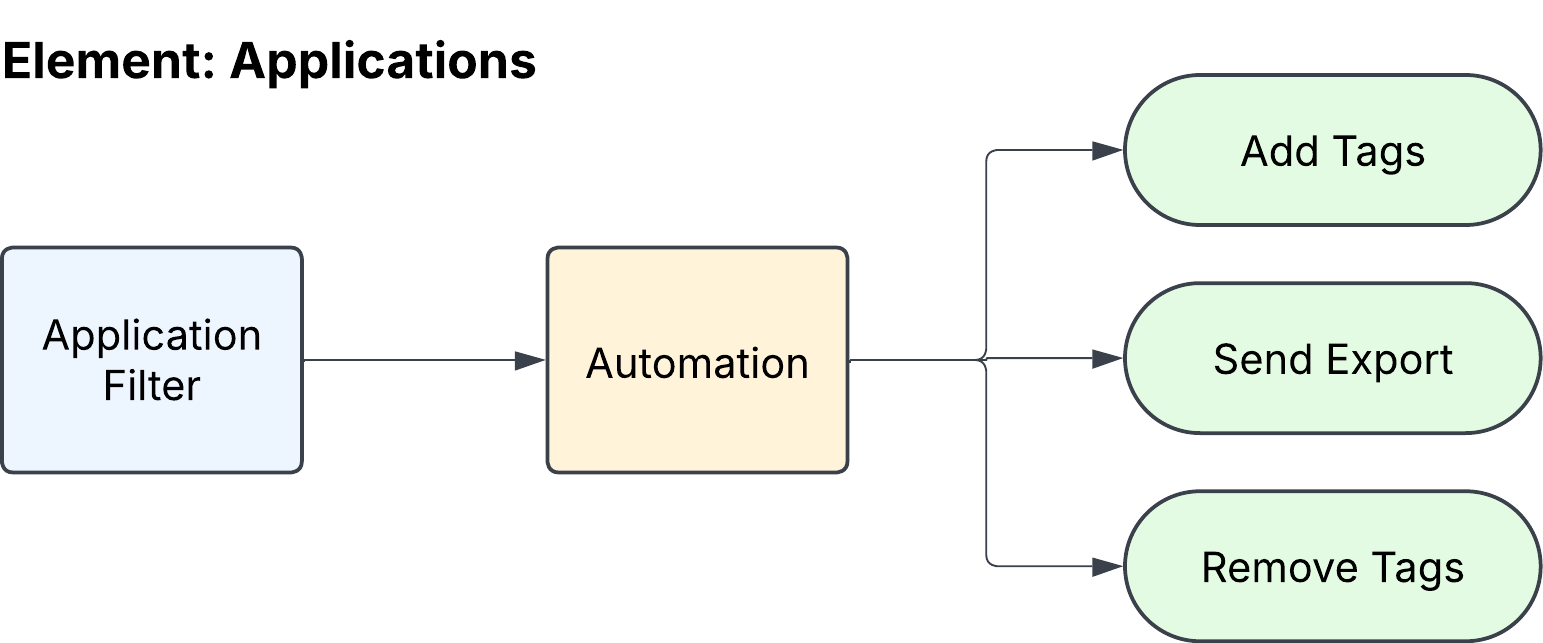
Applications Automation
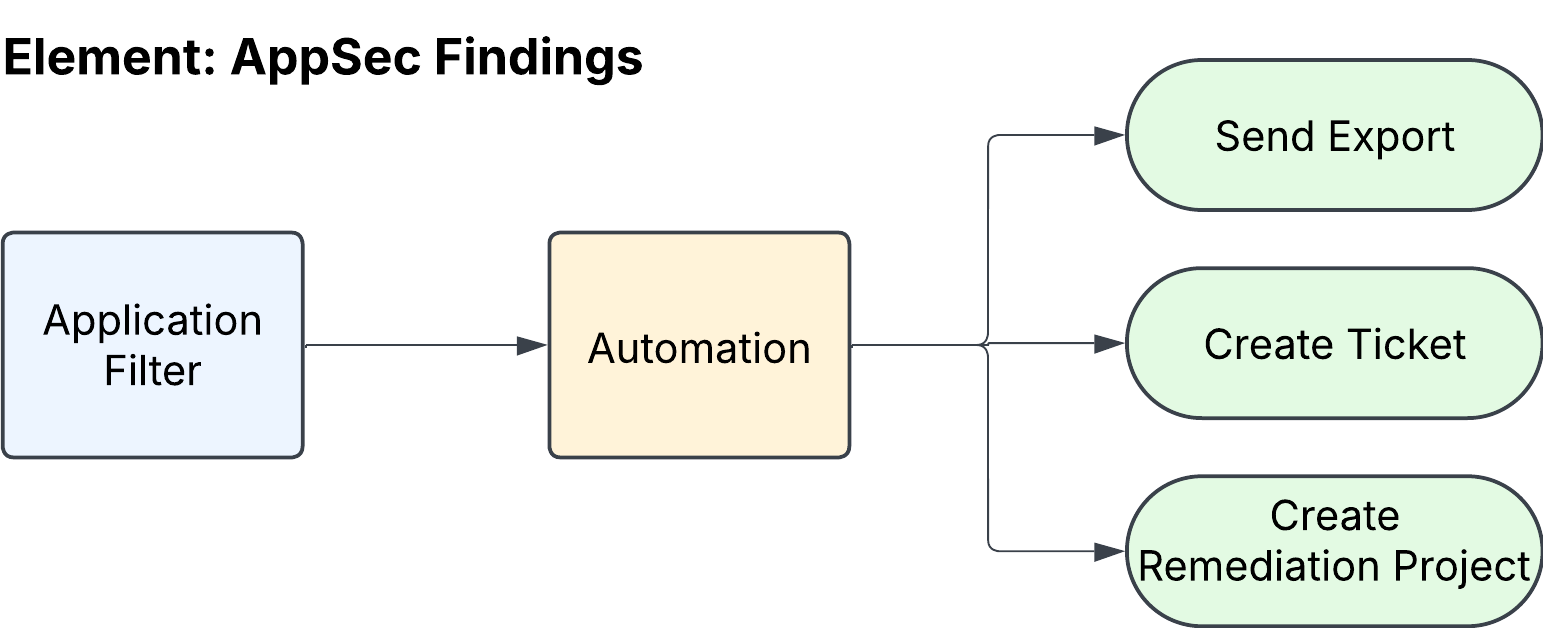
Appsec Findings Automation
Automations, depending on the element type, can trigger the following actions:
Send Slack
Send email
Send export
Create ticket
Add tags
Remove tags
Create remediation project
Set element attributes
The following table explains in detail each automation type:
Automation | Description |
|---|---|
| The Assets Automation can be configured with either and Asset Filter or Asset Group. If you select Aset Filter, you can create a new one, or select a saved filter. Asset Groups can be created under Group Management > All Groups > Asset Groups > User-Defined Groups > Create Group The actions you can trigger are: Send Slack, Send Email, Add Tags, Send Export, Remove Tags, and Set Element Attributes. |
| The Asset Vulnerabilities Automation relies on two key inputs: a vulnerability filter and a ticketing rule. The vulnerability filter identifies and selects vulnerabilities based on specific criteria that you define. You have the option to configure a new filter or utilize an existing saved filter. The ticketing rule, which determines how tickets are generated and sent to ServiceNow or Jira, can be created under Exposure Management > EM Settings. The actions you can trigger are: Send Slack, Send Email, Send Export, Create Ticket, and Create Remediation Project. |
| The Applications automation uses as input only an application filter, which can be new, or a saved filter. The actions you can trigger are: Add Tags, Send Export, and Remove Tags. |
| The Appsec Findings automation uses as input only an application filter, which can be new, or a saved filter. The actions you can trigger are: Send Export, Create Ticket, and Create Remediation Project. |