Overview
Balbix supports two methods for labeling assets: static tags applied by users or external data sources (Tags), and roles automatically detected and applied by Balbix (Roles). Asset-level tags and roles enable users to quickly search through the broader asset inventory and identify specific assets in scope for tracking, remediation or reporting purposes, and also influence the risk of associated assets.
Asset-level tags are typically ingested from third-party data sources via connectors and applied to the associated asset inventory at scale; they can also be added or changed manually by users for individual assets or groups of assets. Tags are static until explicitly changed.
Roles essentially function as "dynamic tags" that are automatically applied by Balbix based on insights inferred from all available asset-level data.
The Purpose of Asset Roles
Leveraging information ingested from connectors, sensors, and other external sources, Balbix assigns one or more roles to assets reflected in the Balbix dashboard. These roles are intended to represent either the business function of an asset, what it contributes to, or which service(s) it is hosting. For example, the applied roles indicate that the asset shown below is running an LDAP server (LDAP), a web server (WEB-SRVR), and is functioning as a domain controller (DC).
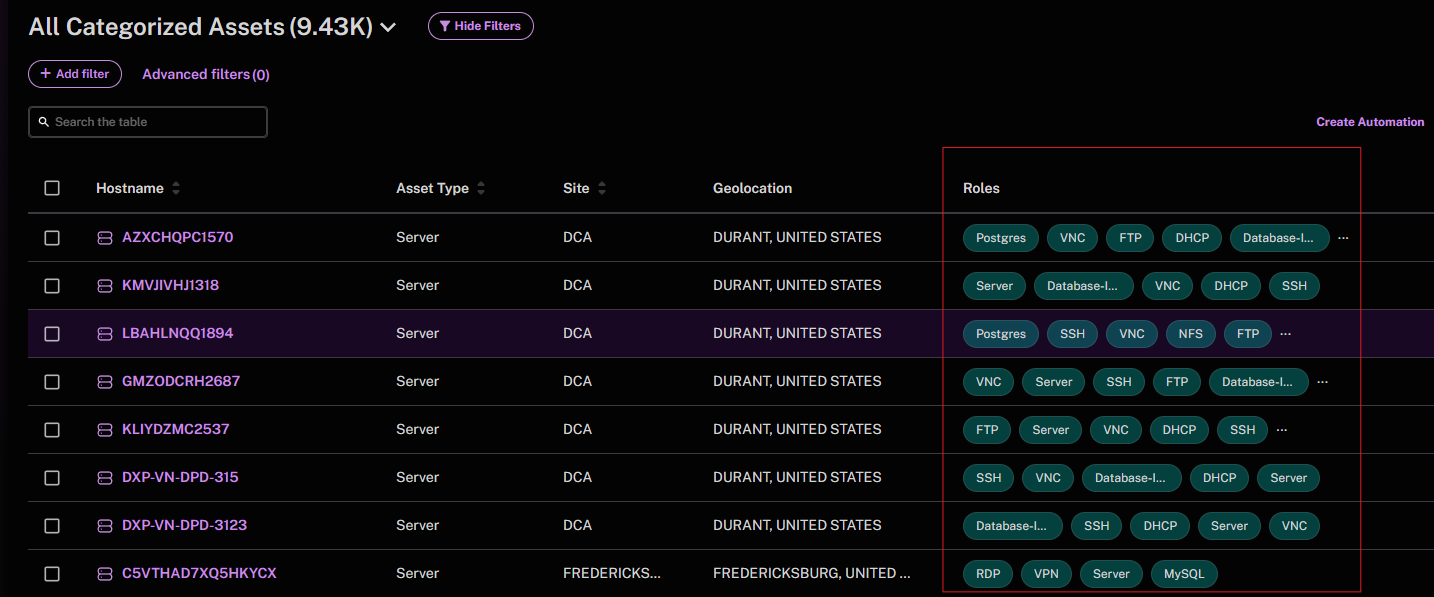
Additionally, roles may indicate what type of service the asset is associated with. For cloud assets, we apply the specific cloud service name per the cloud vendor as a Role—for example, AWS EC2 instances will have "Servers" as the general Type and "AWS-EC2" as the Role.
How Balbix Infers Roles
The primary way Balbix infers roles is by using a combination of three main attributes:
Ports and Asset Information—determines an asset’s role in the network. Specific requirements for which ports need to be open for specific asset types helps Balbix determine asset roles. For example, a co-occurrence of 4 or 5 ports most likely indicates a server is a domain controller.
Software Stack—the Balbix platform looks at what software applications are running on an asset to determine the role that it’s playing. For example, if you have a database installed on a server, Balbix may infer that this asset is functioning as a relational database management server and apply an appropriate role such as RDBMS.
Tags—Balbix processes asset tags ingested from connectors, user input, and other sources to glean any functional information an asset may have to indicate the type of role(s) it might serve.
Balbix currently has 100+ roles available for tagging assets with role names. Some of the most common roles relate to LDAP, DNS, web server, FTP, SSH, database, and cloud-based roles.
Asset Roles List
Below is the current list of roles Balbix applies to assets, how they are detected, and if they have an effect on breach impact.*
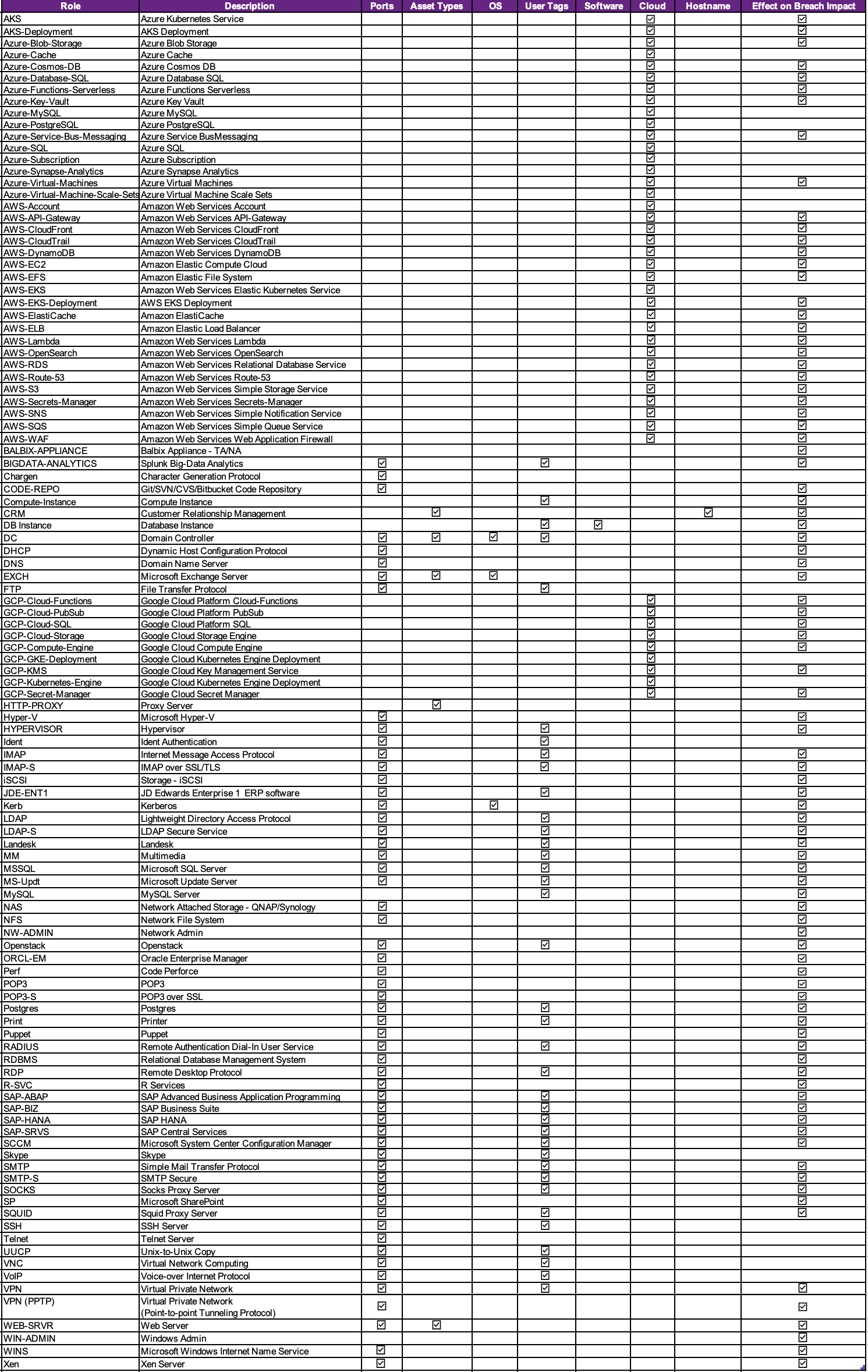 *This list is subject to change and be updated periodically.
See Also: