Overview
The Finding and Asset Listing pages in SAFE CTEM now support a Group By framework that lets security teams aggregate large volumes of findings and assets across key attributes, such as severity, asset context, ownership, and threat intelligence.
This release also introduces filter-based ticket creation, allowing users to create remediation tickets from active filters or selected group rows without manually picking individual finding instances.
Key Capabilities
Group By on Finding List: Aggregate findings across 18+ dimensions including Finding Type, Severity, MITRE ATT&CK Tactic/Technique, and asset ownership fields.
Group By on Asset List: Aggregate assets across 11 dimensions including Attack Surface, Asset Criticality, Zone, and owner fields, with Finding Count per bucket.
Unique Findings View: Unique-finding dataset with Finding Group Score, Finding Group Severity, Asset Count, Pass/Fail Asset Count, and Max Finding Age.
Benefits
Using Group By helps security teams:
Improve Prioritization: Identify the largest concentrations of risk by severity, ownership, asset criticality, or threat framework mappings.
Accelerate Remediation Planning: Assign ownership and create tickets for large groups of findings without manually selecting individual records.
Understand Risk Distribution: Analyze how findings are distributed across business units, asset types, cloud regions, or attack surfaces.
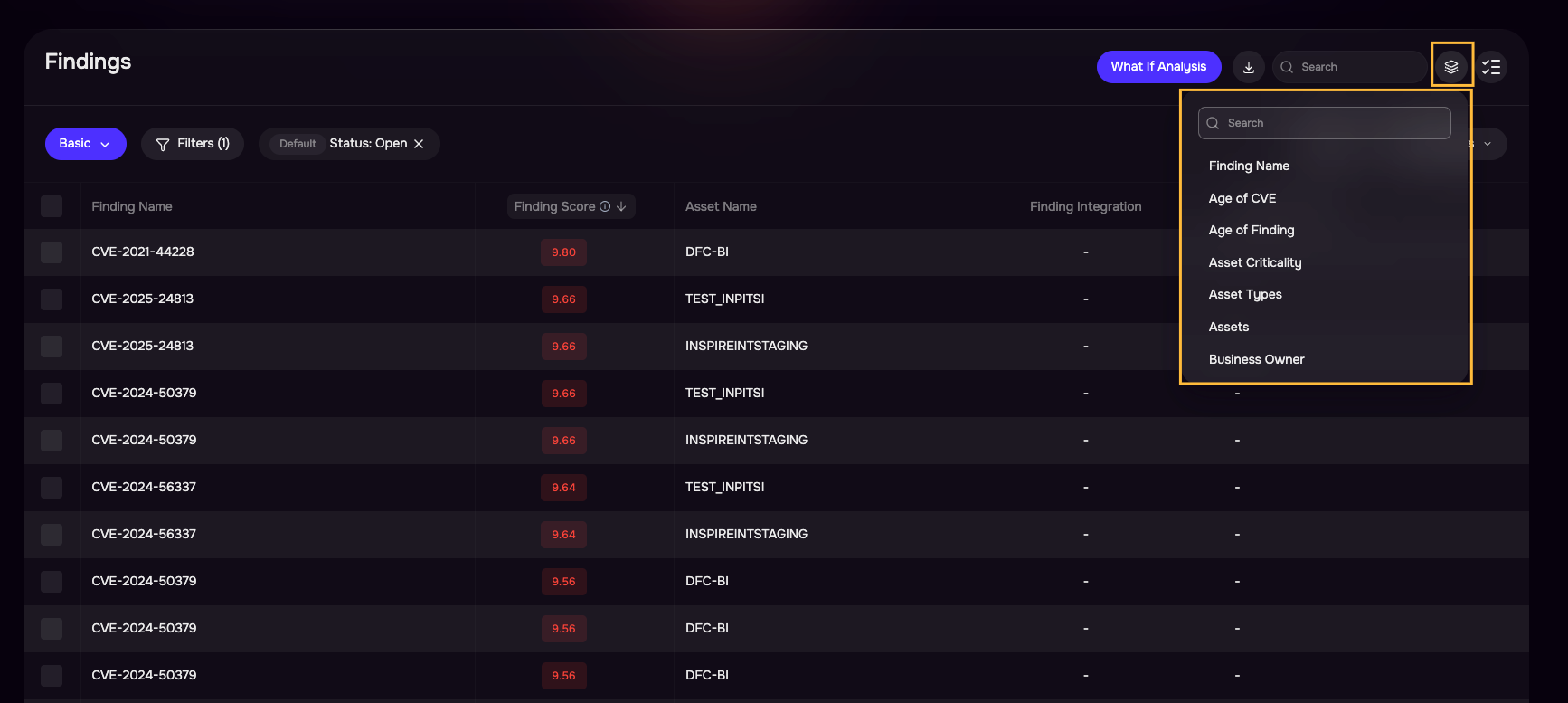
Available Group By Attributes
Finding List
Finding Name
Finding Type
Finding Severity
CVSS v3 Severity
Age of Finding
CVE Published Date
Finding Source
Finding Status
Asset Name
Asset Type
Asset Criticality
Zone
Finding First Seen In
MITRE ATT&CK Tactic
MITRE ATT&CK Technique
VM Owner
Business Owner
Device Owner
IT Owner
Groups
Asset List
Asset Type
Asset Criticality
Attack Surface
Cloud Region
Asset First Seen In
Zone
Asset Subtype
Business Owner
VM Owner
IT Owner
Device Owner
Groups
Using Group By
Accessing Group By
Navigate to Findings/Assets
Open the Group By dropdown.
Select an aggregation attribute. The Findings table automatically transforms into a summarized view.
Clicking the Assets or Findings Count cell on any Group By row opens a new browser tab showing the standard Finding List (no Group By active) with a filter chip matching that group's attribute value applied. The originating tab retains the Group By view unchanged.
Export from Group By View
Triggering export while Group By is applied produces a CSV of underlying finding instances matching the active filters, not the grouped summary rows displayed.
