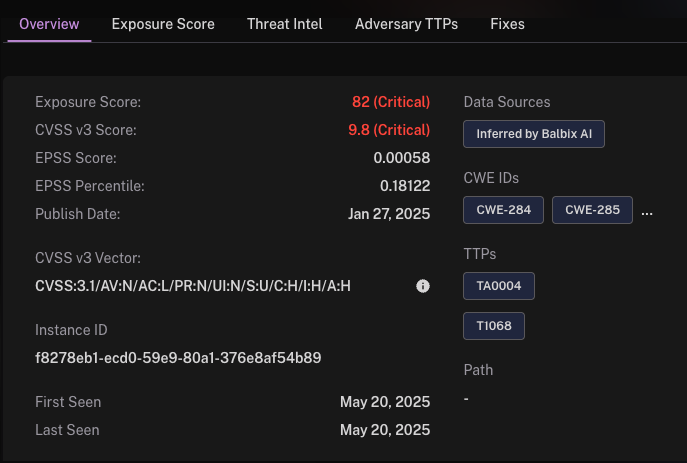
Balbix displays two key timestamps for every vulnerability instance: First Seen and Last Seen. Understanding what these timestamps represent helps prioritize investigations and determine if remediation validation is needed.
First Seen
This is the earliest point in time when Balbix detected or inferred the presence of the vulnerability on a specific asset. It is set once and does not change, even if the vulnerability continues to be present in future scans.
Purpose: Indicates how long the vulnerability has existed in your environment.
Common use: Useful for SLA tracking, aging analysis, and root cause investigations.
Last Seen
This reflects the most recent confirmation that the vulnerability is still present on the asset. The source of confirmation determines how this timestamp is set:
Connector or Sensor: Timestamp reflects the latest observation delivered from integrated tools (e.g., Qualys, Tenable, Rapid7).
Balbix Inference Engine: Timestamp reflects the last point at which the conditions used by Balbix to infer the vulnerability were still observed to be true.
If a condition changes (e.g., a missing patch is applied or configuration is corrected), the vulnerability may no longer appear, and the Last Seen value will no longer update.
Purpose: Indicates the freshness of the vulnerability data.
Common use: Helps assess whether further validation or re-scanning is necessary.
Example
If a vulnerability was First Seen on March 1 and Last Seen on July 28, it means:
Balbix originally detected it on March 1.
It was last confirmed as still present on July 28.
See Also: